

This is the latest version
1.1 2.6 k
2.6 k
 2.7 MB
 5.0+
5.0+
Screenshots
Description of App Remover
App Remover is a tool that lets you uninstall apps from your Android device easily, quickly, and conveniently. If you tend to store games and apps you don't use and want to get rid of them for once and for all, this app will help you get rid of them all easily.
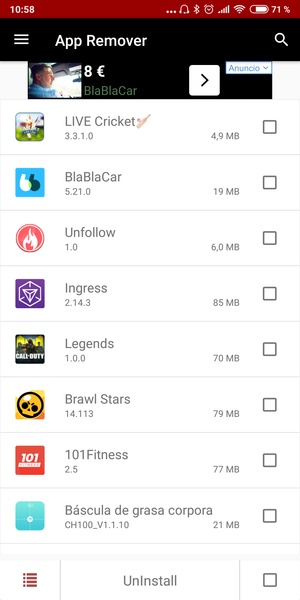
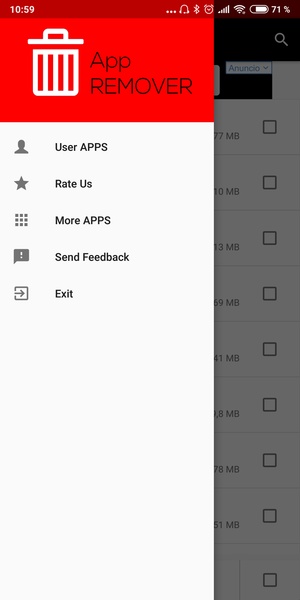
This tool offers one single window where you can do everything, making it easy to delete apps and making it useful for anyone, regardless of your level of experience. Once you open App Remover, you'll see all the apps you have installed on your device. You can organize them by size or alphabetically. Thanks to these filters, you can clearly see which ones take up the most space on your device and delete them to clear up your memory and gain space for other things.
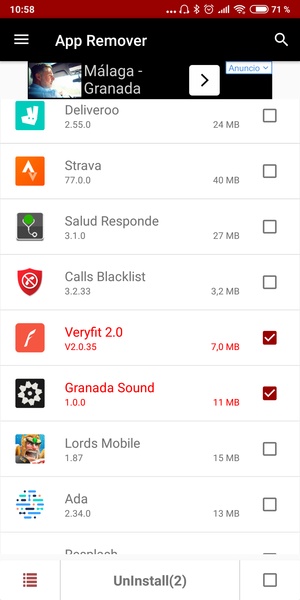
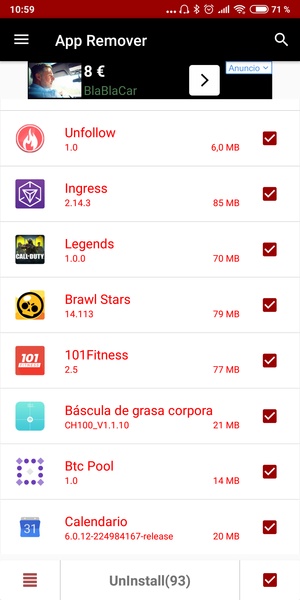
To uninstall any app you have two options: the first one is to select the app of your choosing, which will open a message asking if you really want to uninstall the app. The second option is to select all the apps you want to uninstall through a small square found to the right of each name. Once you've marked all the ones you want to delete, you just have to tap the uninstall button and they'll all disappear at once.
App Remover will save you tons of time when it comes to uninstalling apps on your device, since it avoids the dialogue boxes generated by each action taken from the settings menu.
This tool offers one single window where you can do everything, making it easy to delete apps and making it useful for anyone, regardless of your level of experience. Once you open App Remover, you'll see all the apps you have installed on your device. You can organize them by size or alphabetically. Thanks to these filters, you can clearly see which ones take up the most space on your device and delete them to clear up your memory and gain space for other things.
To uninstall any app you have two options: the first one is to select the app of your choosing, which will open a message asking if you really want to uninstall the app. The second option is to select all the apps you want to uninstall through a small square found to the right of each name. Once you've marked all the ones you want to delete, you just have to tap the uninstall button and they'll all disappear at once.
App Remover will save you tons of time when it comes to uninstalling apps on your device, since it avoids the dialogue boxes generated by each action taken from the settings menu.







App Remover - APK Information
APK Version
1.1
Package Name
com.mayonnaise.remover
License
Free
Op. System
Android
Category
General
Languages
English
Developer
Mayonnaise - Nastorex
Downloads
2,552
Date
Dec 24th, 2018
Content Rating
All ages


