

This is the latest version
1.0 80
80
 4.94 MB

Screenshots
Description of FineCam 4K Webcam for PC & Mac
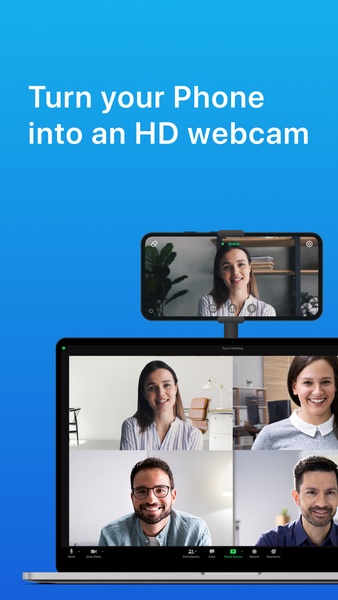
FineCam turns your phone into an HD webcam for PC and Mac quickly, without going to buy a new camera.
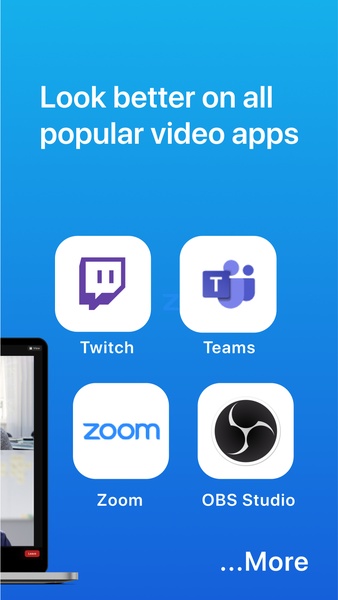
It’s easy to use yet powerful, and compatible with all communication and streaming apps like Zoom, Google Meet, Microsoft Teams, Webex, OBS, YouTube, Facebook, Discord, Adobe Premiere, and much more.
FineCam webcam for PC and Mac is perfect for online meetings, live streams, video calls, online teaching, video podcasts, and video production.
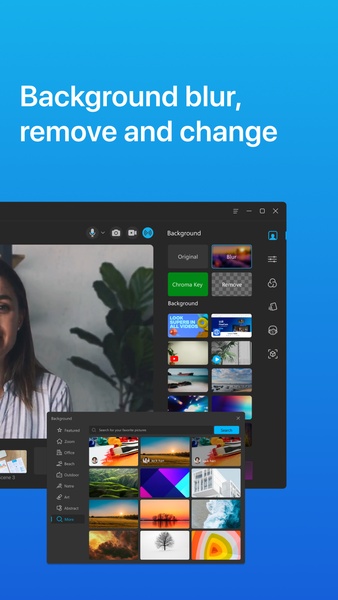
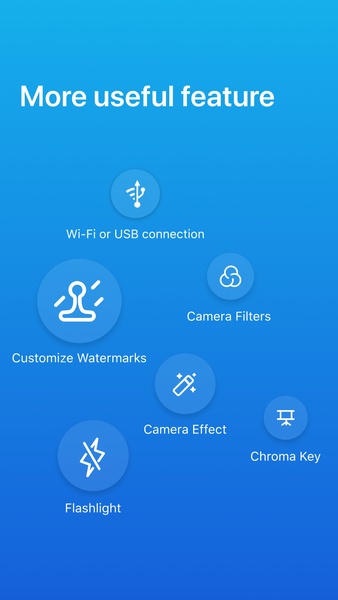
Besides using phone as webcam, FineCam comes with a variety of features like webcam background removal/blurring/changing, Chroma key, webcam filters, webcam recording/snapshot, multi-camera setup, etc.
Features of FineCam app:
- Simple and intuitive interface
Super easy to use and no skill is required, working with most communication and streaming apps.
- Turn any camera into webcam
Easily turn your Android phone, iPhone, iPad, DSLR, GoPro, or other devices into an HD webcam, up to 4K with low latency.
- Webcam filters and effects
60+ webcam filters and special effects to make you look better in video
- Color adjustment
Fine tune webcam brightness, exposure, saturation, sharpness, etc.
- Multicamera setup
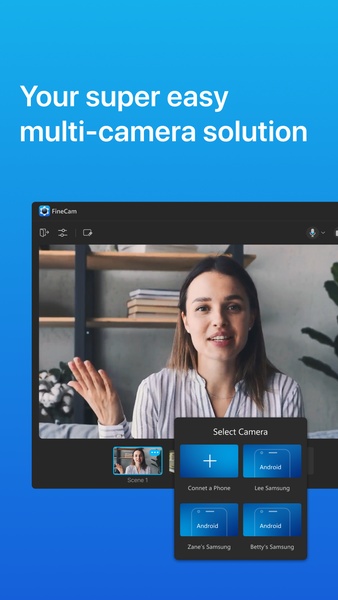
You can connect multiple cameras to FineCam via Wi-Fi or USB. FineCam can work as a video switcher to help you record content from multiple camera angles and seamlessly switch between scenes.
- Background removal without green screen
One-click to remove webcam background and set images, videos, PowerPoint slides, YouTube videos, and webpages as virtual backgrounds.
- Video recording
Record videos with virtual background in high quality.
- Webcam adjustment
You can flip, rotate, zoom in & out webcam, resize webcam overlay and drag it to the desired position.
- Built-in virtual background library
Working with Unsplash, it allows you to access millions of stunning backgrounds for free.
- Compatibility
Compatible with all platforms that support for external cameras including Zoom, Google Meet, Skype, Microsoft Teams, YouTube, Facebook, Discord, Twitch, Streamlabs, OBS, GoTo Meeting, Wirecast.
Turn your phone into a webcam in minutes with FineCam:
1. Get the FineCam app.
2. Download and install the Windows or Mac version of FineCam. Download URL: https://www.fineshare.com/finecam/
3. Connect Android device to PC or Mac via Wi-Fi or USB.
With above mentioned all features of the FineCam app, you can get done your daily meetings with your team, get done your tasks by coordinating via video camera, or record video segments easily on your computer. If you have any suggestions about FineCam webcam for PC and Mac, please let us know. We will take them into consideration. Also, don’t forget to share FineCam with your Friends.
It’s easy to use yet powerful, and compatible with all communication and streaming apps like Zoom, Google Meet, Microsoft Teams, Webex, OBS, YouTube, Facebook, Discord, Adobe Premiere, and much more.
FineCam webcam for PC and Mac is perfect for online meetings, live streams, video calls, online teaching, video podcasts, and video production.
Besides using phone as webcam, FineCam comes with a variety of features like webcam background removal/blurring/changing, Chroma key, webcam filters, webcam recording/snapshot, multi-camera setup, etc.
Features of FineCam app:
- Simple and intuitive interface
Super easy to use and no skill is required, working with most communication and streaming apps.
- Turn any camera into webcam
Easily turn your Android phone, iPhone, iPad, DSLR, GoPro, or other devices into an HD webcam, up to 4K with low latency.
- Webcam filters and effects
60+ webcam filters and special effects to make you look better in video
- Color adjustment
Fine tune webcam brightness, exposure, saturation, sharpness, etc.
- Multicamera setup
You can connect multiple cameras to FineCam via Wi-Fi or USB. FineCam can work as a video switcher to help you record content from multiple camera angles and seamlessly switch between scenes.
- Background removal without green screen
One-click to remove webcam background and set images, videos, PowerPoint slides, YouTube videos, and webpages as virtual backgrounds.
- Video recording
Record videos with virtual background in high quality.
- Webcam adjustment
You can flip, rotate, zoom in & out webcam, resize webcam overlay and drag it to the desired position.
- Built-in virtual background library
Working with Unsplash, it allows you to access millions of stunning backgrounds for free.
- Compatibility
Compatible with all platforms that support for external cameras including Zoom, Google Meet, Skype, Microsoft Teams, YouTube, Facebook, Discord, Twitch, Streamlabs, OBS, GoTo Meeting, Wirecast.
Turn your phone into a webcam in minutes with FineCam:
1. Get the FineCam app.
2. Download and install the Windows or Mac version of FineCam. Download URL: https://www.fineshare.com/finecam/
3. Connect Android device to PC or Mac via Wi-Fi or USB.
With above mentioned all features of the FineCam app, you can get done your daily meetings with your team, get done your tasks by coordinating via video camera, or record video segments easily on your computer. If you have any suggestions about FineCam webcam for PC and Mac, please let us know. We will take them into consideration. Also, don’t forget to share FineCam with your Friends.







FineCam 4K Webcam for PC & Mac - APK Information
APK Version
1.0
Package Name
com.fineshare.finecam
License
Free
Op. System
Android
Category
General
Languages
Afrikaans, Amharic, Arabic, Armenian, Belarusian, Bulgarian, Catalan, Chinese, Croatian, Czech, Danish, Dutch, English, Estonian, Farsi, Finnish, French, German, Greek, Hebrew, Hindi, Hungarian, Icelandic, Indonesian, Italian, Japanese, Kazakh, Korean, Latvian, Lithuanian, Malay, Norwegian, Polish, Portuguese, Romanian, Russian, Serbian, Slovak, Slovenian, Spanish, Swahili, Swedish, Tagalog, Thai, Turkish, Ukrainian, Vietnamese, Zulu
Developer
FineShare Co., Ltd
Downloads
80
Date
Feb 6th, 2023
Content Rating
+3


