

This is the latest version
1.0.3 3.2 k
3.2 k
 12.89 MB
 5.0+
5.0+
Screenshots
Description of Secure Photo Gallery
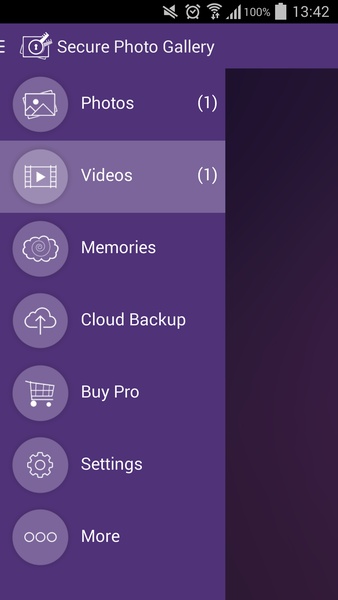
If you're worried about the security of your private multimedia files and you're afraid that someone might try to access them when you lend your smartphone or leave it somewhere, Secure Photo Gallery is the perfect application for keeping third parties from accessing your photos and videos without your consent. With this application, you can leave your smartphone with someone else without having to worry that they'll copy, send, or open files that you don't want to them to see.
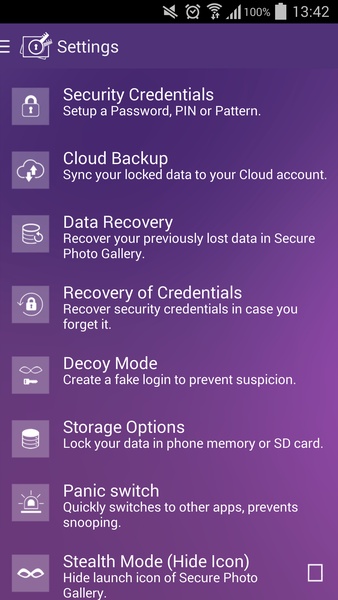
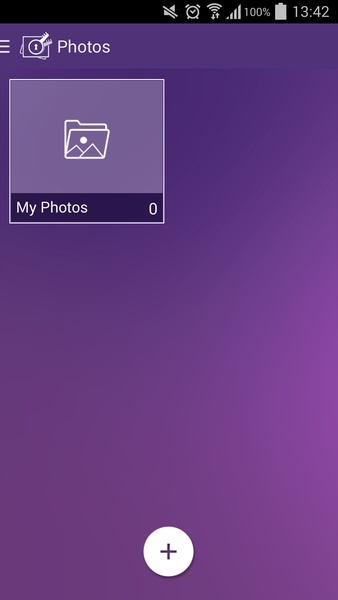
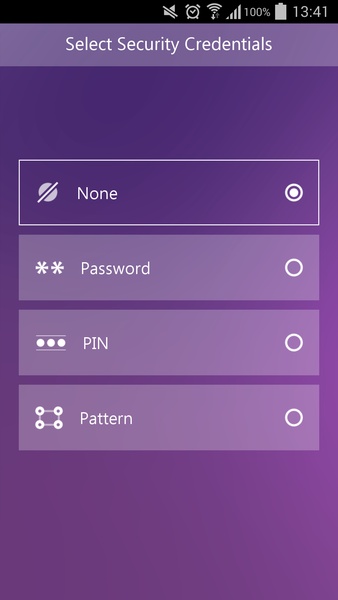
The Secure Photo Gallery's interface is as intuitive as it is simple, and it organizes the different encryption modalities perfectly. When you open this application for the first time, you will enter a password that will serve as the central protection axis. To make sure that you remember the password you set up, you can do it in three different ways: with a PIN, a pattern of lines, or a password with letters. No matter which one you choose, you can change it from the settings menu after entering it again.
This application has a gallery of all the screenshots you've taken directly with your smartphone's camera, photos you've found on websites, and photos you've downloaded from social networks. So anything that's saved on your memory can be hidden with this tool. When you take new photos, you can decide whether to protect them simply by selecting the folders or the files to leave free from restrictions.
Although Secure Photo Gallery might seem just like other photo and video protection apps, it also has a special feature that lets you add a fake password so you can make someone believe they've guessed the right password and are seeing everything you've hidden. This is a really useful feature when someone asks for your password and you don't want to refuse to give it to them but you also want to keep them from seeing your protected files.
The Secure Photo Gallery's interface is as intuitive as it is simple, and it organizes the different encryption modalities perfectly. When you open this application for the first time, you will enter a password that will serve as the central protection axis. To make sure that you remember the password you set up, you can do it in three different ways: with a PIN, a pattern of lines, or a password with letters. No matter which one you choose, you can change it from the settings menu after entering it again.
This application has a gallery of all the screenshots you've taken directly with your smartphone's camera, photos you've found on websites, and photos you've downloaded from social networks. So anything that's saved on your memory can be hidden with this tool. When you take new photos, you can decide whether to protect them simply by selecting the folders or the files to leave free from restrictions.
Although Secure Photo Gallery might seem just like other photo and video protection apps, it also has a special feature that lets you add a fake password so you can make someone believe they've guessed the right password and are seeing everything you've hidden. This is a really useful feature when someone asks for your password and you don't want to refuse to give it to them but you also want to keep them from seeing your protected files.







Secure Photo Gallery - APK Information
APK Version
1.0.3
Package Name
com.newsoftwares.securephotogallery
License
Free
Op. System
Android
Category
Security/Performance
Languages
Spanish, English, Portuguese, French, German, Italian, Chinese, Japanese, Arabic, Russian, Dutch, Polish, Czech, Danish, Finnish, Greek, Hindi, Korean, Norwegian, Swedish, Turkish, Catalan, Hungarian, Thai, Malay, Vietnamese, Romanian, Slovenian, Farsi, Belarusian, Afrikaans, Bulgarian, Slovak, Ukrainian, Tagalog, Amharic, Croatian, Serbian, Estonian, Lithuanian, Zulu, Latvian, Hebrew, Swahili, Armenian
Developer
Graham Richard
Downloads
3,204
Date
Jun 10th, 2015


