Aliona Miller
If you drive for Uber, DoorDash, Instacart or any other gig app, your mileage log is worth more this year than it was last year. It’s also a little more complicated. The IRS business mileage rate at 72.5 cents a mile was supposed to last all year, but the IRS raised it to 76 cents a mile for anything driven from July 1 on (Announcement 2026-11, its first mid-year change since 2022), so this year’s deduction runs on two rates and only counts the miles your phone actually caught.
Most of the popular trackers give you a set number of drives for free before they ask for money, fifteen a month with one and thirty or forty with others. A normal delivery shift is a string of short hops, and it can eat through a cap like that long before the month is over.
For full-time driving on an Android phone, TripLog is the one to install first. Its Basic plan tracks unlimited trips automatically at no cost, and it’s the only one of the six in this article that does both without a subscription. Stride and Hurdlr cost nothing either but make you do part of the work yourself, and if you’d rather just pay, MileIQ, Everlance and Driversnote all land somewhere around $11 to $14 a month.
Free Apps You Can Use All Year Without Paying a Dime
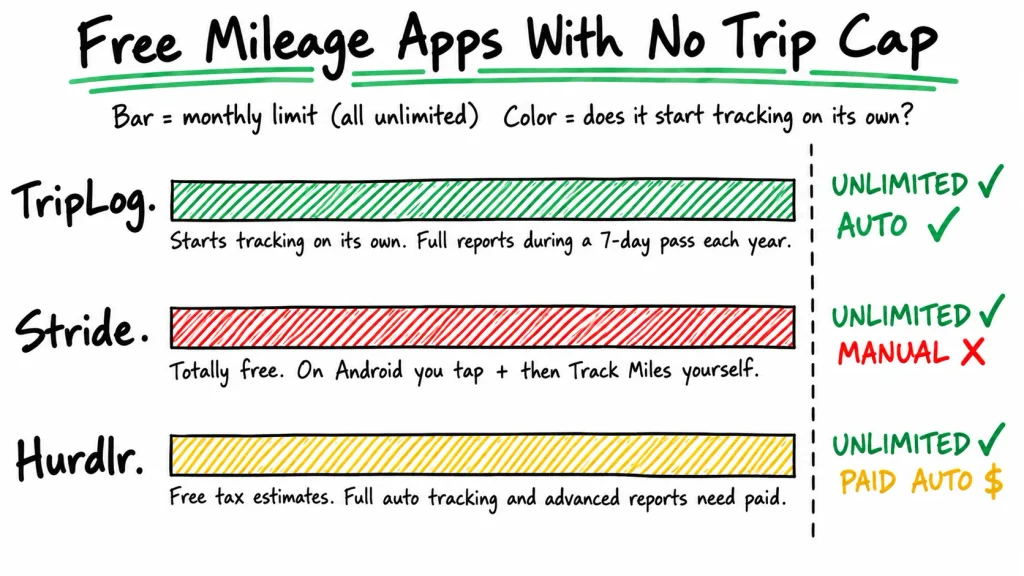
None of these three puts a monthly limit on how many drives you can log, so you could use any of them for a full year without paying. Only TripLog starts and stops trips on its own.
| App | Monthly limit | Starts tracking on its own? | Paid upgrade | Watch out for |
| TripLog | Unlimited | Yes | Premium, $59.99/year | Unlimited reports only during a 7-day pass each year |
| Stride | Unlimited | No, you start each drive | None | Drive reminders are iPhone-only; 3.1 stars on Google Play |
| Hurdlr | Unlimited | Semi-auto | Premium, $9.99/month or $100/year | Income and expenses entered by hand |
TripLog Tracks Unlimited Trips Automatically, and It’s Free
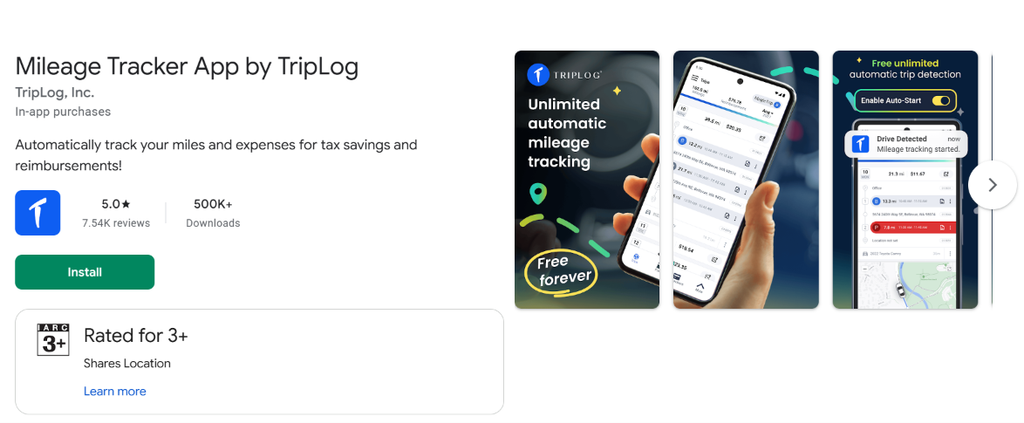
Unlimited automatic tracking used to be a Premium feature at TripLog. That changed in April 2025, when the company turned its old Lite plan into a no-cost plan called Basic and moved the feature into it, which is why some older comparison articles still list TripLog with a trip limit.
It all runs through a feature called MagicTrip that notices when you start driving, and if it ever misses a trip you can start and stop one by hand. On Android it keeps a notification at the top of your screen the whole time it’s tracking. Kind of annoying at first, but it’s also the quickest way to tell TripLog is still awake halfway through a shift.
Reporting is where the free plan holds back a little. Basic users get a 7-day Premium Pass once a year that opens up unlimited reports and the web dashboard, and since the pass resets every January 1, the smart move is to save it for tax season and pull your yearly report that week. For a gig driver filing one return a year, that’s usually plenty. If you send mileage reports to a company every month, you’ll need Premium, which costs $59.99 a year.
Stride Is Free, but on Android You Start Every Drive Yourself
Stride looks like the obvious pick at first. There’s no paid version pushing you to upgrade, it costs nothing, and it can look for tax write-offs if you connect your bank accounts. But Stride’s own support page says it only records a drive after you tap the yellow + button and choose Track Miles, and for someone doing ten or fifteen short runs a day, that’s a lot of chances to forget.
iPhone users at least get a reminder when the phone is charging and moving faster than 5 mph. Android phones don’t get that. The Android version only offers Drive Reminders you schedule for set days and times, which works if your hours never change and does nothing for a surprise lunch rush. Support pages can lag behind the app itself, so run Stride for a day before you trust it with a whole week of miles.
Hurdlr Has No Trip Cap, but Automatic Tracking Costs $9.99 a Month
Hurdlr makes more sense if taxes are the part that stresses you out. Its free plan gives you real-time tax estimates, so you can see roughly what you’ll owe each quarter before the money gets spent. Mileage isn’t capped either, but the tracking is what Hurdlr calls semi-auto, and your income and expenses go in by hand. Fully automatic logging comes with Premium at $9.99 a month or $100 a year.
Paid Apps and What They Cost Full-Time Drivers
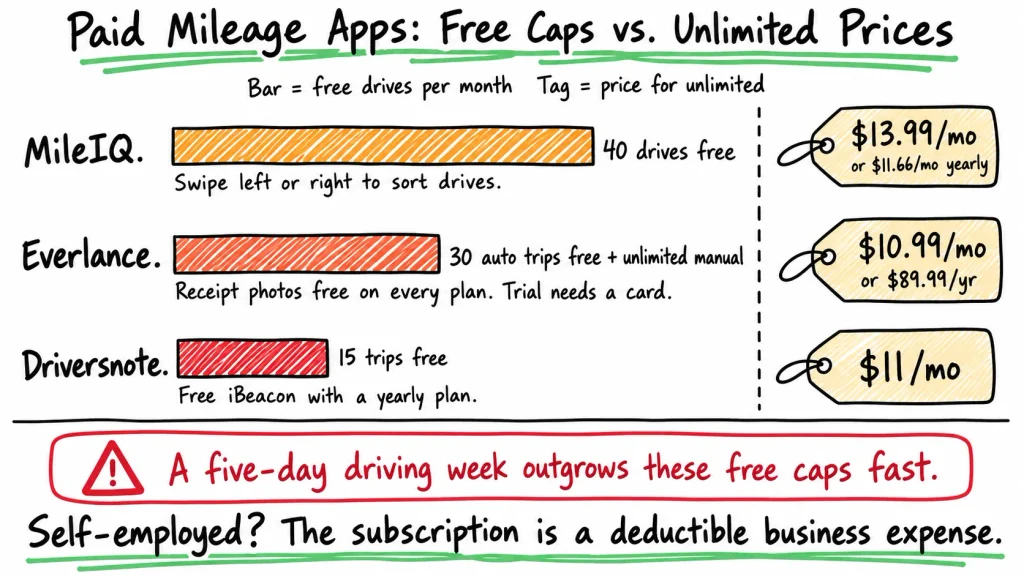
MileIQ, Everlance and Driversnote all have free plans, but the limits are low enough that a five-day driving week will push you onto a paid plan pretty quickly.
| App | Free plan | Paid plan | Price |
| MileIQ | 40 drives a month | Unlimited | $13.99/month, or $11.66/month billed yearly |
| Everlance | 30 automatic trips a month, unlimited manual | Starter | $10.99/month, or $89.99/year |
| Driversnote | 15 trips a month | Pro | $11/month, iBeacon included with a yearly plan |
If you’re self-employed, whatever you pay for a mileage tracker counts as a business expense you can deduct, which takes a little of the sting out. Still, with TripLog logging unlimited trips for free, paying makes the most sense when you want something specific, like MileIQ’s swipe-to-sort setup or Driversnote’s in-car beacon.
MileIQ Unlimited Now Costs $13.99 a Month
MileIQ has been the default recommendation in a lot of gig-driver guides for years, and it still works the way people liked, logging drives on its own and letting you swipe left or right to mark each one business or personal. Then the price went up, a lot. Unlimited is $13.99 a month, or $11.66 a month if you pay for the year, about $140 in total, while an older post on MileIQ’s own blog lists that same yearly plan at $59.99. The free plan still covers 40 drives a month, which is fine for a couple of shifts a week.
Everlance Keeps Receipt Photos Free and Charges for Unlimited Tracking
Everlance gives you 30 automatic trips a month at no cost. After that you can keep going by starting and stopping trips yourself or typing them in, and receipt photo capture works on every plan, including the free one. Starter removes the limit for $10.99 a month or $89.99 a year, the lowest yearly price any of these three posts. Just know that the 7-day trial asks for a credit card and charges you automatically when it ends, and Everlance doesn’t give refunds, so set a reminder if you’re only trying it out.
Driversnote Comes With an iBeacon if You Pay Yearly
Driversnote is the one to look at if you drive outside the US, because it lets you use your own country’s mileage rate or set a custom one. Pro costs $11 a month. Paying yearly gets you the iBeacon, a small Bluetooth tag that stays in your car so only drives in that car get logged, instead of every time your phone moves fast on a bus or in a friend’s car. Without paying, it still logs drives on its own, though it only reports 15 trips a month, the lowest limit of the six.
Android Settings That Keep a Tracker Running Through a Full Shift
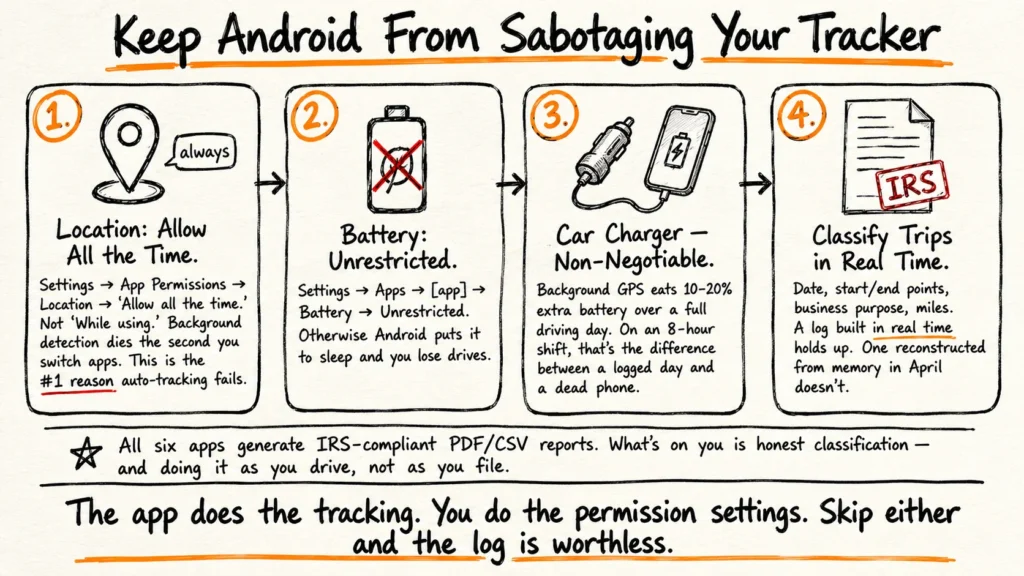
If your tracker worked fine for a few days and then missed a whole afternoon, check the phone before you blame the app. Android is aggressive about putting background apps to sleep to save battery, and Stride’s support team points to the same thing when its own tracker misses miles.
- Set location to “Allow all the time.” If it’s on “Allow only while using the app,” the tracker can’t start a trip by itself while it’s running in the background, which defeats the whole point.
- Set battery use to “Unrestricted.” You’ll find it on the app’s Battery page in Settings, although the exact menu moves around a bit between Pixel, Samsung and Xiaomi phones.
- On a Samsung, add the tracker to “Never sleeping apps.” Samsung has its own Sleeping apps and Deep sleeping apps lists on top of Android’s, and some owners say the phone moves apps back onto them after a big software update, so it’s smart to check again after each One UI update.
What Does the IRS Want to See in a Mileage Log?
For every business drive, the IRS wants the date, the miles, where you went and why you went. IRS Publication 463 also asks for your total miles for the year. Your business mileage log has to be kept as you go rather than rebuilt from memory in April, although a log you fill in once a week still counts. Estimates don’t count for car expenses, so a tracker that missed half a shift can’t be patched up with a guess.
This year there’s one extra step, because each mile gets the rate in effect on the day you drove it, so the original 72.5 cents a mile for 2026 covers January through June and 76 cents covers July through December. At 1,800 business miles a month, the second half of the year comes to 10,800 miles. That 3.5-cent raise adds $378 in deductions you’d lose if your report used one rate for the whole year, so check the export and split it yourself if you have to.
Free plans in this category don’t stay put for long. TripLog only went unlimited in April 2025, so treat every number in this article as right for now and probably not forever.