 Sam Hewitt (Game Developer)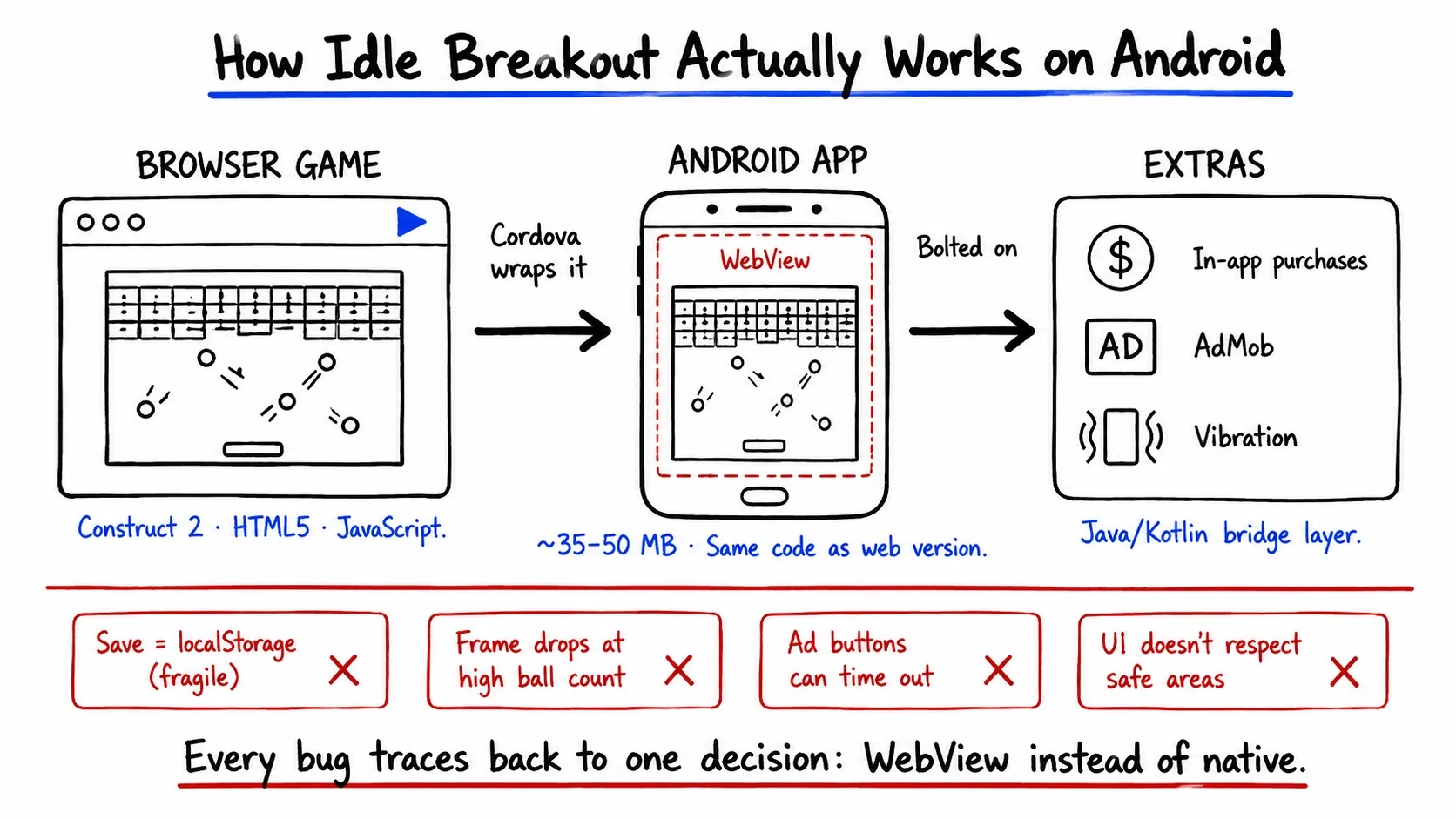
Short version: Idle Breakout is a brick-breaking idle game from the indie developer Kodiqi and the Android version isn’t a ground-up native app — it’s the original browser game sealed inside a WebView, which explains both the tiny download size and most of it’s quirks. The official Google Play release is clean and safe to install; the actual risk is the pile of copycat apps riding it’s name. It’s weakest spot is fragile save data, so back up your progress before any big update.
So Who Actually Made This?
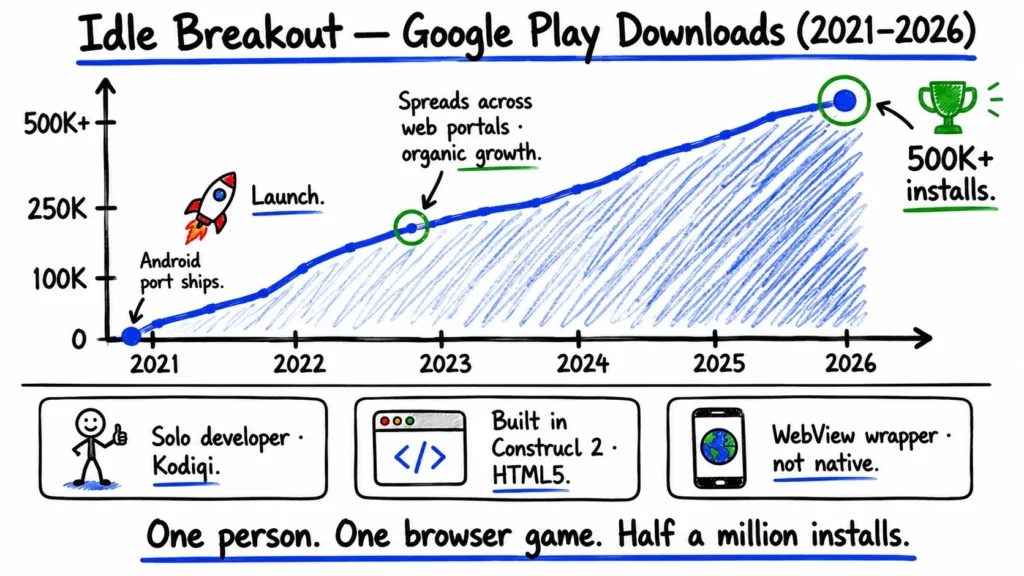
Idle Breakout didn’t start on your phone. It began life as a browser game on Coolmath Games around late 2019, built by a solo indie developer who goes by Kodiqi. It caught on — the kind of catching on where a game spreads across web portals on it’s own — and in 2021 Kodiqi shipped dedicated mobile ports. Android landed first, iOS a little after.
Worth knowing before you read another word: this is essentially a one-hit studio. Idle Breakout is the flagship and pretty much the whole portfolio. Support runs through Discord, in-game links and the odd Reddit post rather than a big company helpdesk. If you’ve never touched an incremental game before, the loop is simple — you buy balls, the balls smash bricks on their own, the bricks pay you, you buy more balls. Idle in the literal sense. It keeps earning while you’re not looking.
The Android “app” is Basically a Website in a Costume
Download it and the first odd thing is the size. The APK weighs in around 35–50 MB, which is small for a game with this much going on. That number is a clue. Idle Breakout was made in Construct 2, a 2D engine that exports everything to HTML5 and JavaScript and draws the whole game onto a single <canvas>. Rather than rebuild all of that natively in Kotlin or Unity, Kodiqi wrapped the existing web game in a thin native shell using Apache Cordova. So the thing you installed is, underneath, a tiny browser loading a local index.html — the exact same code that runs the web version.
A few giveaways that you’re holding a wrapped web app and not a native one:
- A “Made with Construct 2” splash screen flickers up on some Android devices before the game loads.
- Buttons and text scale like a webpage, not like a native layout — slightly off on some screens.
- The web, Android and iOS versions share features and bugs almost identically, because it’s one codebase wearing three coats.
- The Android side is held together by a slim Java/Kotlin layer that Cordova generates, mostly to bolt on ads, in-app purchases and vibration.
This single design choice is the thread running through everything else in this article. The save problems, the frame drops when the screen fills with balls, the occasional unresponsive ad button — most of it traces straight back to a game running inside a WebView instead of on the metal.
The Bugs That’ll Actually Bite You
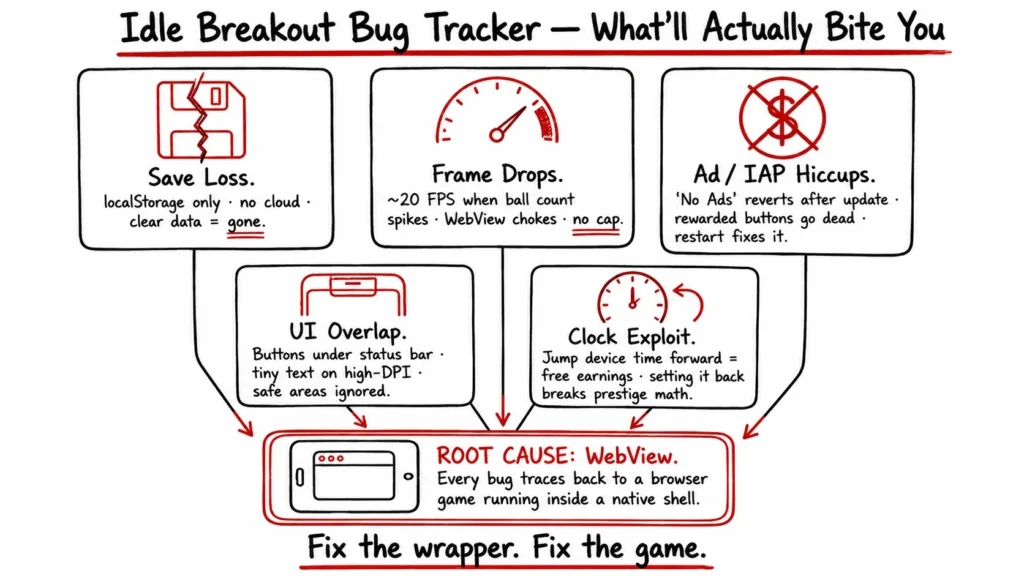
None of these are dealbreakers. But a couple can cost you progress and you’d rather hear it now than after losing a week of grinding.
The big one is save loss. Idle Breakout stores your progress locally — localStorage inside that WebView, basically a cookie jar on your phone. There’s no proper cloud save. So clear the app’s data, switch phones or get unlucky during an update and it can all evaporate. People report exactly this on r/IdleBreakout often enough that it’s the first thing to plan around. Until Kodiqi adds real cloud backup, treat your save as fragile and don’t wipe app data casually.
Then there’s the clock exploit, which is less a bug than an open door. Offline earnings get calculated from your device’s clock. Jump the clock forward and the game happily pays you for time that didn’t pass. It’s single-player, so cheat your own game if you want — but setting the time back afterward can knock the prestige math sideways and that’s harder to undo than it sounds.
The rest are smaller:
| Issue | What you’ll notice | Why it happens |
| Frame drops | Stutter below ~20 FPS once dozens of fast balls swarm the screen | WebView chokes on the particle load; there’s no quality scaling or ball cap |
| Ad/IAP hiccups | “No Ads” not kicking in or rewarded-ad buttons going dead until restart | The bridge between the web layer and AdMob times out |
| UI overlap | Buttons hiding under the status bar or gesture area, tiny text on high-DPI screens | The canvas doesn’t always respect safe areas or scale the viewport |
| Prestige misfire | Rarely, the Breakout multiplier won’t apply after certain upgrades | A restart usually clears it |
Notice the pattern. Every one of these is a WebView tax — the cost of running a browser game in a costume instead of a native build. If Kodiqi ever migrates to Construct 3’s runtime or rebuilds in something like Unity, most of this list goes away. That’s a big if, though and not something to count on.
Is it safe to install? Yes — but read this first
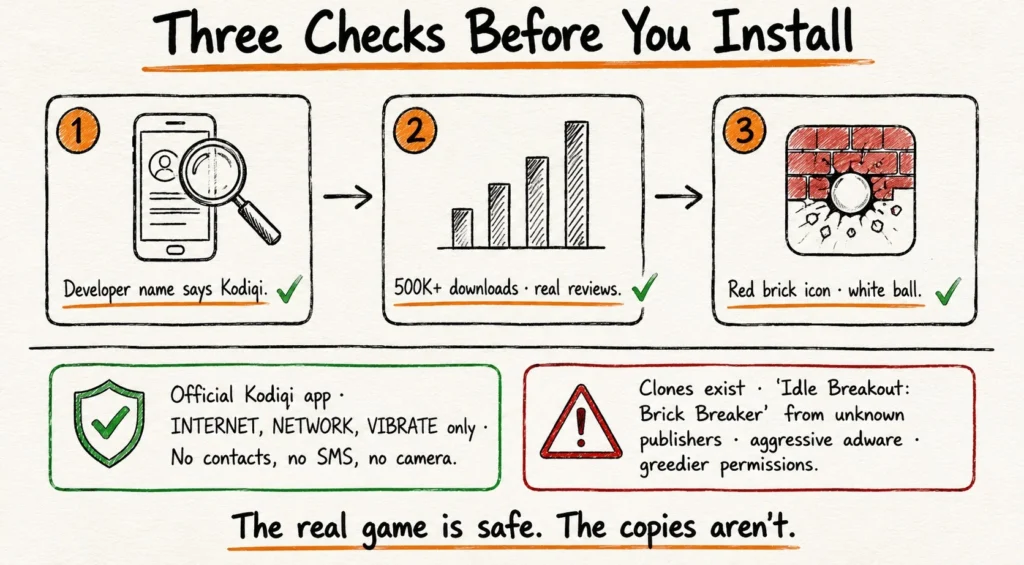
The short answer: the official app is clean. The longer answer is where the real risk hides.
The genuine Kodiqi release clears Google Play Protect and asks for almost nothing. On Android the permission list is short:
- INTERNET — for ads and analytics
- ACCESS_NETWORK_STATE — to check if you’re online
- VIBRATE — haptics, optional
No contacts. No SMS, camera, location or file access. For a free game, that’s about as modest as permissions get and it lines up with what a Cordova-wrapped game actually needs. Community teardowns of the APK find the standard Construct 2 runtime and ordinary HTML/JS — no hidden obfuscated code, no calls out to mystery servers, just the usual AdMob and Firebase traffic. Kodiqi’s own privacy policy says they collect anonymised analytics and ad identifiers and don’t sell personal data and the developer’s kept a clean record for years.
So the official app isn’t the thing to worry about. The clones are. A game this popular gets impersonated and the App Store and Play Store both carry copycats with names like “Idle Breakout: Brick Breaker” from publishers that aren’t Kodiqi. Some of those are loaded with aggressive adware and far greedier permission lists than the real one.
Before you install, three checks:
- Developer name. It must read Kodiqi on Google Play. On iOS it’s listed as James Kodiqi. Anything else, back out.
- Download count and reviews. The real one has hundreds of thousands of installs. A near-empty clone is a red flag.
- The icon. The official app is a red brick with a white ball punching through it.
Get those three right and you’ve got the genuine article.
What Would Actually Make it Better?
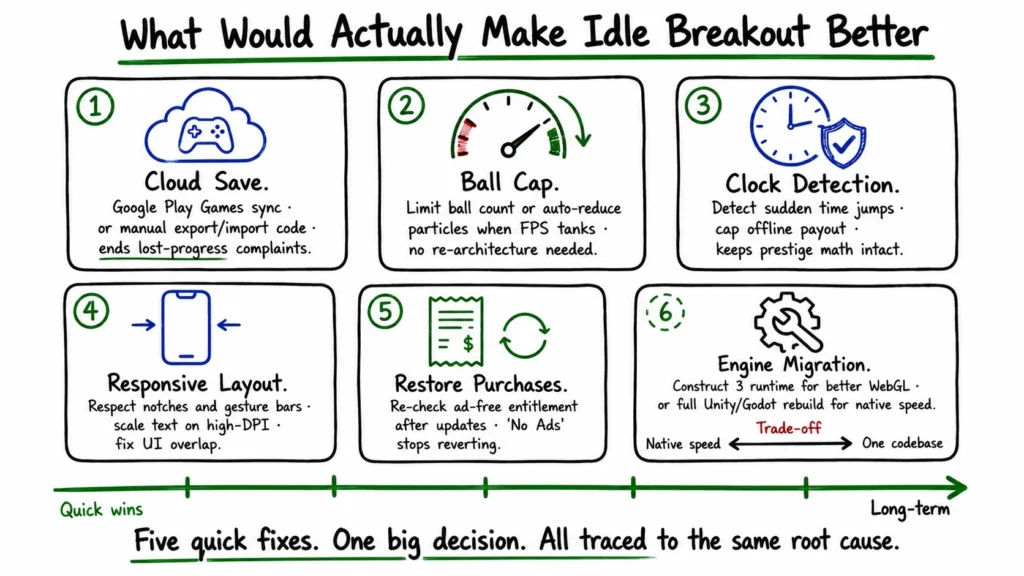
Most of the fixes write themselves once you accept the root cause is the WebView wrapper. Here’s where Kodiqi could spend effort, roughly in order of how much players would feel it:
- Fix the save problem first. Cloud save through Google Play Games would end the lost-progress complaints overnight. If that’s too heavy for a solo dev, even a manual export/import code — copy a string, paste it on the new phone — would do most of the job.
- Cap the chaos. A simple ball limit or auto-reducing particle effects when the frame rate tanks would handle the late-game stutter. No need to re-architect anything.
- Close the clock door. Detect sudden jumps in device time and cap the offline payout. Keeps the exploit from quietly breaking prestige balance.
- Respect the screen. A responsive layout that honors safe areas and scales text properly would clear up the overlap and tiny-font issues on notched phones and tablets.
- Harden ads and purchases. A proper “Restore Purchases” button that re-checks the ad-free entitlement would stop “No Ads” from mysteriously reverting after updates.
Longer term, the engine itself is the ceiling. Moving to Construct 3’s runtime would buy better WebGL performance while keeping the shared codebase. A full rebuild in Unity or Godot would unlock native speed and proper multithreading — at the cost of throwing away the one-codebase-everywhere setup that makes this game cheap to maintain. For a solo developer, that’s a real trade, not a no-brainer.
And then there’s the thing every idle game eventually hits: people finish it. Dedicated players burn through all the content in a few weeks. Seasonal events, new brick types, deeper prestige tiers — that’s the lever for keeping anyone around past month one.
The Verdict
Idle Breakout is a small, honest game that does exactly what it says. The Android version is a faithful port — which is both it’s charm and it’s limitation, since “faithful port” here means “the web game in a box.” That box is lightweight, it’s genuinely safe from the official listing and it asks for almost nothing on your device. The catches are worth repeating: guard your save data like it could vanish, because it can and make sure the name above the install button says Kodiqi and not some soundalike.
For a free idle game built by one person, that’s a fair deal. Go in knowing the save risk and the clone risk and there’s not much else to watch for.