apk
apk
A Spotify Mod APK is the official Spotify app that someone’s cracked open and rewritten so it behaves like you’ve got Premium — no ads, unlimited skips, the works — without you paying a cent. Sounds great. The problem is that most of what makes Premium actually work lives on Spotify’s servers, not inside the app, so a big chunk of what these mods “unlock” is either fake or half-broken. The bigger danger is the stuff you can’t see: a lot of these files ship with malware and installing one can get your account permanently banned. Honest verdict? Skip it and stick around, because the legal-but-cheap routes at the end actually deliver.
What Exactly Is a Spotify Mod APK?
Let’s start with the boring-but-important part. An APK is just the file Android uses to install an app, think of it like a .exe on Windows. A modded APK is that same file after someone’s taken it apart and changed it.
In Spotify’s case, the goal is almost always to mimic Premium. The usual sales pitch: kill the ads, remove the skip limit, let you seek and repeat tracks freely, force higher-quality audio and slap a “download for offline” button on everything. Some go further and try to dodge region locks or that forced-shuffle mode on the free tier.
You’ll see iOS folks talk about the same idea under names like Spotify++ or Spotilife, but that’s a fundamentally different (and far more fragile) world thanks to Apple’s locked-down signing system. We’re staying on Android here, where the door is genuinely easier to pry open, which is exactly why Android is also where the malware problem gets ugly. More on that shortly.
How Mods Unlock Premium Features (And What They Can’t Do)
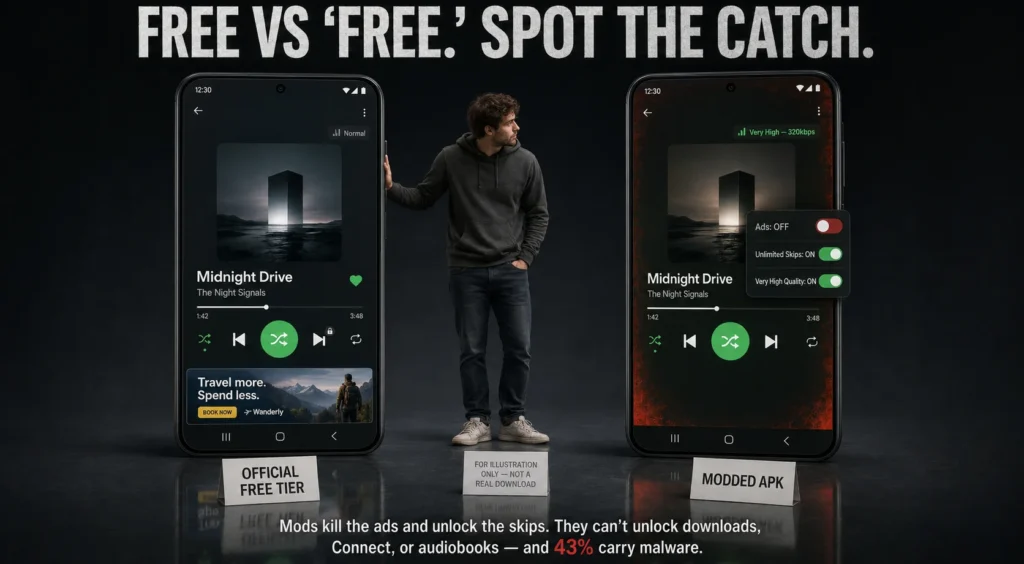
Here’s the nitty gritty in very basic terms. The Spotify application has to ask itself questions throughout – such as “is this user Premium?” and “should I be playing an ad right now?” A mod would go into the code of the app and would “rig” those answers so they always return yes. No ads load. A skip never gets tripped.
Sounds airtight, right? It isn’t and this is the part the mod sites conveniently skip over.
Spotify is built so the important stuff is decided on their servers, not on your phone. The app can lie to itself all day, but it can’t lie to Spotify’s backend. That’s why so much of the “Premium” you’re promised is cosmetic. The clearest example is offline downloads: the actual audio is locked with DRM and the key to unlock it only gets handed out to a verified paying account. A mod can light up a “Downloaded” badge, but the file underneath won’t play. Same story with guaranteed high-quality streams, you can request 320 kbps, but the server can quietly hand you a lower bitrate and you’d never know.
So here’s the honest claim-vs-reality breakdown:
| What the mod promises | What you actually get |
| No ads | Usually works (it’s a client-side switch) |
| Unlimited skips | Usually works |
| Offline downloads | Fake — the badge appears, audio won’t play without server keys |
| Guaranteed “Very High” 320 kbps | Unreliable — server can downgrade the stream regardless |
| Audiobook hours unlocked | Blocked — the listening cap is enforced server-side |
| Spotify Connect (cast to speakers) | Blocked — needs server-verified Premium |
The short version of this whole section: a mod can repaint the dashboard, but it can’t touch the engine. You end up with a glorified ad-blocker that breaks every time Spotify pushes an update.
The Hidden Dangers You Can’t Ignore
Okay, this is the section I’d actually sit a friend down for. Because the ads and the broken download button? Annoying, sure. But they’re not the thing that bites you.
The real risk is what’s riding along inside that file.
Consider where these mods are from. Official app from one place, vetted and signed by Spotify. A modded APK is from a forum post, Telegram channel or some website that is stuffed with “DOWNLOAD PREMIUM FREE 2026” banners. No one is looking to see what was slipped in during the rebuild. There is a good amount that is slipped in.
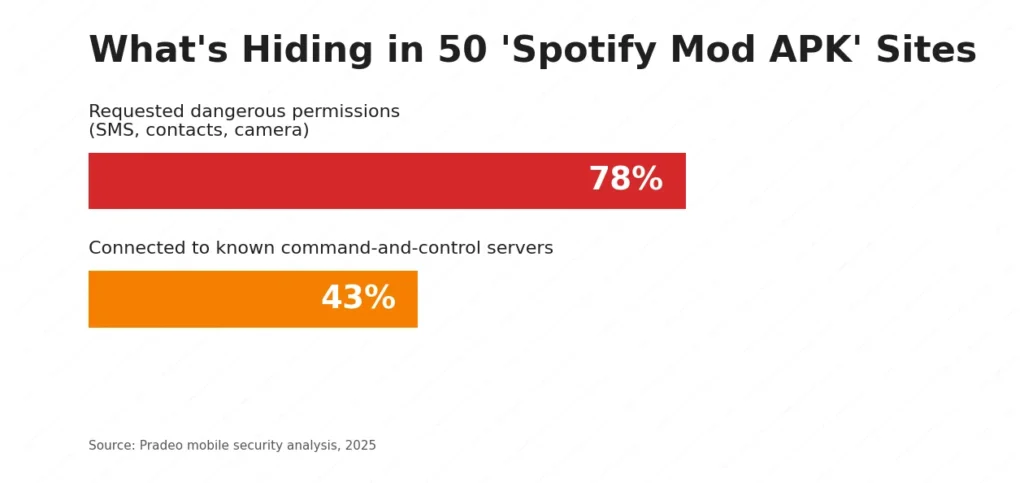
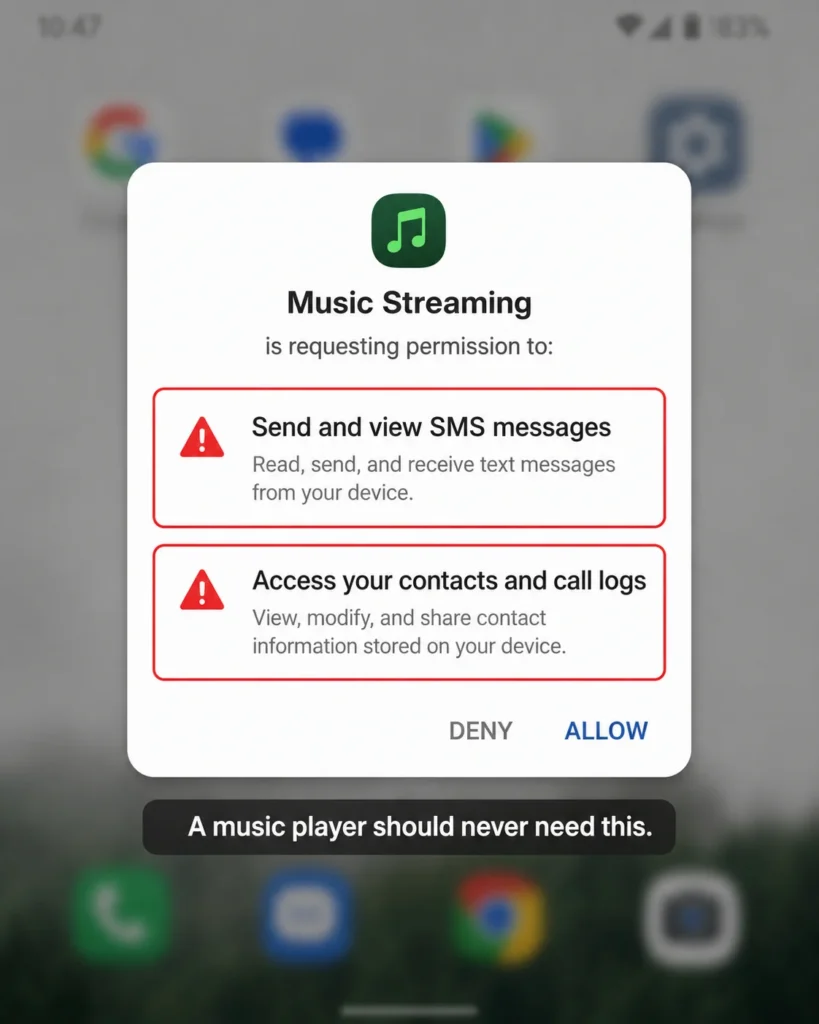
A 2025 analysis by the mobile security firm Pradeo looked at 50 sites pushing “Spotify Premium Mod APK” downloads. The numbers were grim: 78% of the samples asked for permissions a music app has no business wanting — your SMS, your contacts, your camera and 43% phoned home to known command-and-control servers, the kind of infrastructure that’s used to run malware remotely. Let that sink in. Almost half were actively talking to a malware operator’s backend.
Here’s the kind of nasty stuff researchers keep pulling out of repackaged music and media apps:
- Adware — ironic, right? You install it to dodge ads and it injects it’s own ads across your whole phone.
- Banking trojans — families like SpyNote and Cerberus get bundled in. These watch for you opening your bank app, then overlay a fake login screen to swipe your details.
- Cryptominers — they quietly hijack your CPU to mine crypto, which is why your “free” Spotify makes your phone run hot and kills the battery by lunch.
- Credential harvesters — built to grab login tokens for Spotify, Google, Facebook, whatever they can reach.
You can read up on how banking trojans like Cerberus operate if you want the full horror story, the short version is that handing an unknown app your SMS and accessibility permissions is roughly the worst thing you can do to an Android phone.
And none of this comes with support. Something breaks, your account gets drained, your phone bricks? There’s no help desk for pirated software. You’re on your own.
How Spotify Detects and Blocks Modded Apps
Even if you got a clean mod — no malware, genuinely just an ad-skipper — you’d still be playing a losing game, because Spotify is actively hunting for these.
Their first line of defense is to determine whether or not the app is legitimate before it trusts it. On Android, it’s the Play Integrity API, Google’s solution to ensuring that an app has been downloaded from within the Play Store and hasn’t been modified. A modded APK will not pass this check because it will be re-signed using the modder’s key, rather than Spotify’s key. Modders retaliate with hacks and patches are made by Spotify and it continues to be a perpetual cat and mouse game, while you’re stuck with a broken app that is constantly being updated.
But the sneakier detection happens on the back end, where the app can’t hide anything. A few things that quietly flag an account:
- No ad pings. A free account is supposed to report ad impressions. One that never does is wearing a neon sign.
- Premium-only requests from a free account. Suddenly hitting endpoints only paying users touch is a dead giveaway.
- Weird skip behavior. Hammering unlimited skips on a free tier doesn’t match how a real free user behaves.
- Mismatched app version or signature. The client tells on itself.
When you trip these, the response isn’t always instant. Sometimes it’s a warning email. Sometimes you get shadow-banned — the app keeps working but quietly degrades. And sometimes it’s the big one: a permanent account ban. That means your playlists, your saved albums, your followers, the library you spent years building — gone, with no official appeal for mod-related bans. People have lost a decade of curated music over a free ad-blocker. Not a trade I’d make.