Dev Bug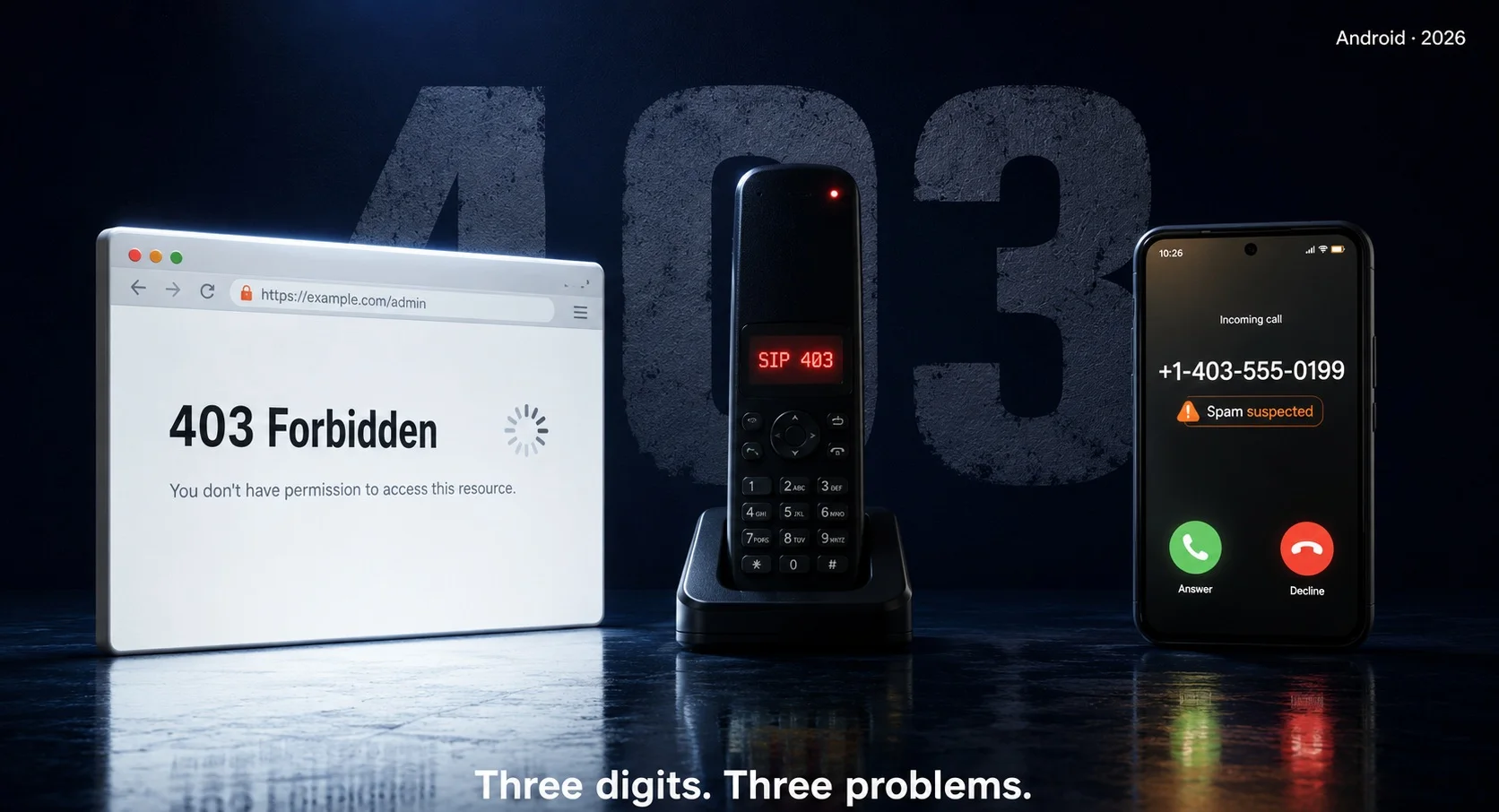
“403” on your Android usually isn’t a phone-number prefix at all. Nine times out of ten it’s one of two things — an app or browser hit an HTTP 403 Forbidden error (a server politely telling you “no”), or you’re getting spam calls from the +1-403 area code in Alberta, Canada. And no, there’s no secret *#*#403#*#* dialler code, so we can knock that idea out right now.
So if you typed “403” into a search bar after seeing it pop up somewhere, this is for you. The trick is figuring out which 403 you’re dealing with, because the fixes are completely different. Let’s sort it out.
HTTP 403 Forbidden: When an App Slams the Door
This is the big one. If you saw “Error 403” inside an app, a browser, or a blank screen that just… refused to load, you’ve met HTTP 403 Forbidden. Here’s the thing that confuses people: 403 doesn’t mean the server is broken or that you typed the wrong address. The server heard you loud and clear. It just won’t let you in. Think bouncer, not “out of order” sign.
On Android specifically, a 403 tends to show up for a handful of reasons:
- Your login token expired, so the app is technically “logged in” but the server no longer trusts it.
- You’re on a VPN or proxy, and the server has blocked that IP range.
- The app’s content is geo-restricted, and your connection looks like it’s coming from the wrong country.
- Your phone is rooted, and a banking or streaming app detected it and refused to talk to you (some apps return a 403 instead of a clear “rooted device” message).
- Your phone’s date and time are wrong, which breaks the security handshake — and some misconfigured servers throw a 403 instead of a proper SSL error.
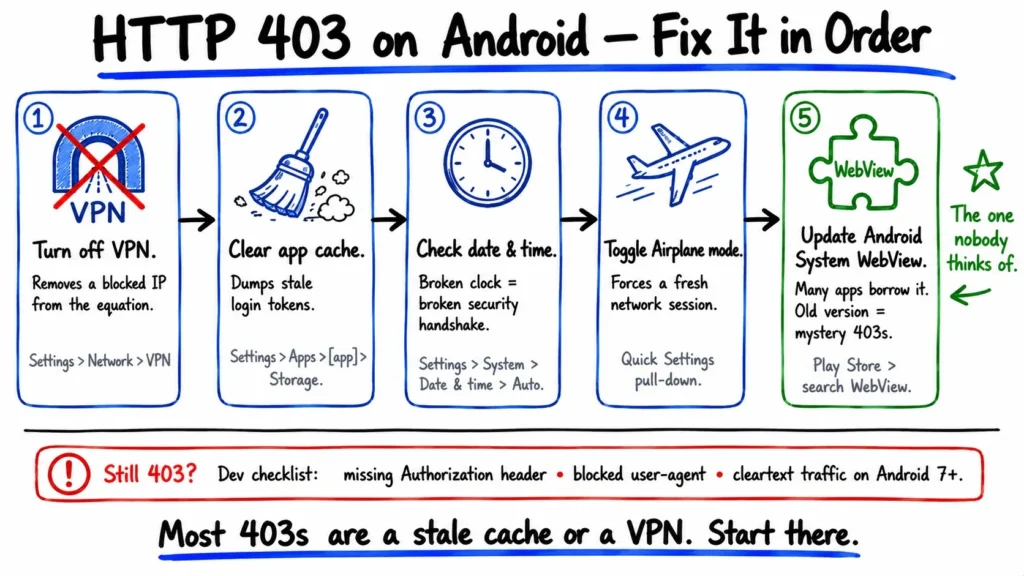
Most of these you can fix yourself in under a minute. Here’s the order I’d try them in:
| Try this | Why it works | Where to find it |
| Turn off your VPN/proxy | Removes a blocked IP from the equation | Your VPN app, or Settings > Network & internet > VPN |
| Clear the app’s cache | Dumps a stale token or corrupted session | Settings > Apps > [app] > Storage > Clear cache |
| Check date & time | Fixes the security handshake servers rely on | Settings > System > Date & time > Set automatically |
| Toggle Airplane mode | Forces a fresh network session | Quick Settings pull-down |
| Update Android System WebView | Many apps render content through it; an old version chokes | Play Store > search “Android System WebView” |
That last one catches people off guard. A surprising number of apps don’t have their own browser — they borrow Android’s WebView component to display web content. If WebView is out of date, you can get errors that look like the app’s fault when they’re really not. Update it, reopen the app, and a lot of mystery 403s just vanish.
If none of that works and you’re a developer staring at this in your own app, the usual culprit is the request itself — a missing Authorization header, a default user-agent the server doesn’t like, or cleartext traffic getting blocked on Android 7 and up. Check your network logs for code=403 and work backward from there.
SIP 403 Forbidden: When Your VoIP Call Dies Before It Rings
Here’s a 403 that’s easy to mistake for the one above, but it lives in a totally different place: internet calling. If you use a VoIP app on Android — Linphone, Zoiper, Bria, or a SIP client your office set up and your call fails with “403 Forbidden,” that’s a SIP 403, not an HTTP one.
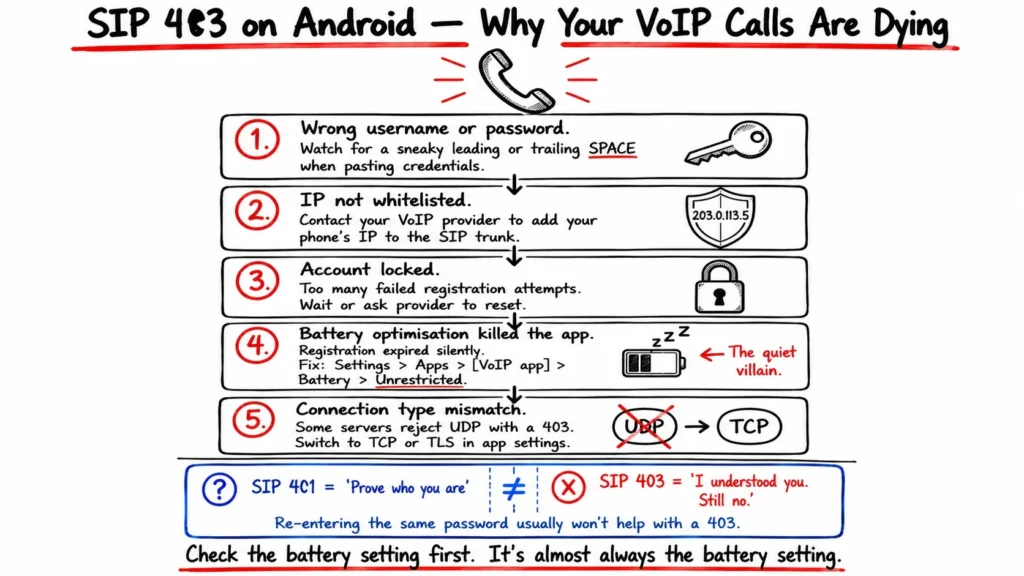
What’s worth knowing: a SIP 403 is a dead end, not a question. There’s a related code, 401, that basically means “prove who you are” — it’s the server asking for credentials. A 403 is the server saying it understood you fine and the answer is still no. So re-entering your password over and over usually won’t help unless the password was actually wrong to begin with.
On Android, a SIP 403 normally comes down to one of these:
- Wrong username or password — and watch for a sneaky leading or trailing space when you paste them in.
- Your phone’s IP isn’t whitelisted on the SIP trunk.
- The account got locked after too many failed registration attempts.
- Battery optimisation killed your app in the background, your registration quietly expired and now outbound calls get rejected.
That battery one is the quiet villain. Android is aggressive about putting apps to sleep, and a VoIP app that’s been napping can lose its registration without telling you. Head to Settings > Apps > [your VoIP app] > Battery and set it to Unrestricted. While you’re troubleshooting, it’s also worth switching the connection type in the app’s settings (UDP → TCP → TLS) — some servers flat-out reject UDP with a 403.
Area Code 403 (+1-403): Real Callers, Plus a Lot of Spoofed Ones
Now the most literal reading of “phone prefix 403” — an actual phone number. Area code 403 covers southern Alberta, Canada: Calgary, Lethbridge, Banff. It’s a perfectly normal area code, so a +1-403 call might be your cousin in Calgary or a legit business.
But here’s the catch. Scammers love to spoof real area codes — sometimes even faking a local prefix so the call looks like it’s from your own neighbourhood. So a 403 number you don’t recognise could be genuine, or it could be a robocall wearing a disguise. You can’t always tell by looking, which is exactly why Android’s built-in spam tools earn their keep.
If you’re on a Pixel or most modern Android phones with the Phone by Google app, you’ve already got solid protection — you just have to switch it on:
- Open the Phone app, tap the three-dot menu, then Settings.
- Tap Caller ID & spam and turn on See caller ID & spam.
- Flip on Filter spam calls if you’d rather suspected spam never rings at all (it still lands in your call history, so you won’t truly miss anything). Google’s own walkthrough covers the details.
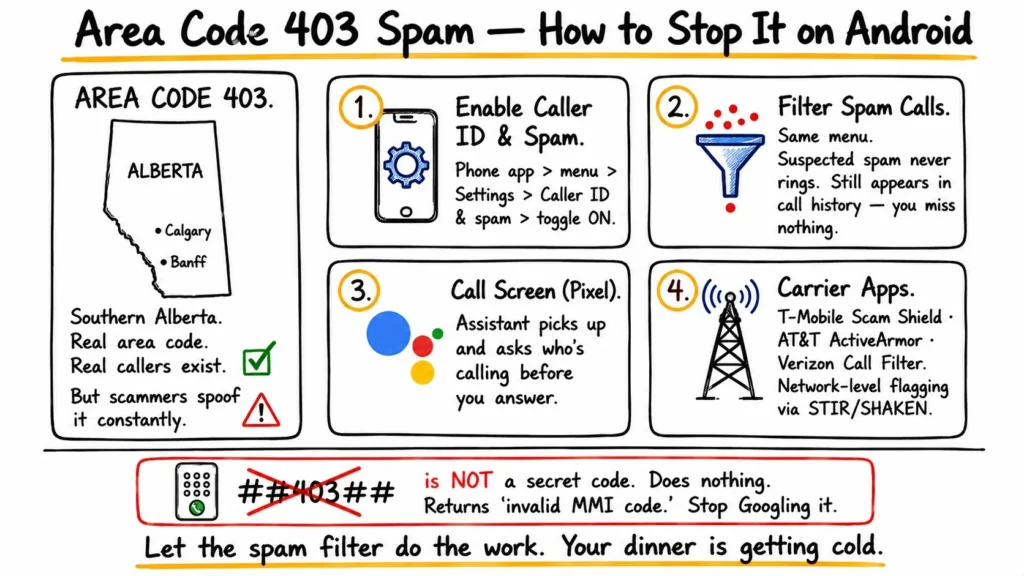
A few extra layers, if 403 spam is really hammering you: Call Screen on Pixel phones lets Google Assistant pick up and ask the caller who they are before you commit to answering. Carrier apps help too — T-Mobile Scam Shield, AT&T ActiveArmor, and Verizon Call Filter all flag high-risk numbers at the network level. A lot of that flagging runs on STIR/SHAKEN, the call-authentication framework the FCC pushed to verify that a number actually is who it claims to be.
Is There a Secret *#*#403#*#* Code? (Short answer: no.)
Android genuinely does have hidden dialler codes — *#*#4636#*#* opens a testing menu and *#06# shows your IMEI. But 403 isn’t one of them. Type *#*#403#*#* and you’ll just get a “Connection problem or invalid MMI code” message. It won’t reset anything, unlock anything, or break anything. It’s a dead end, so don’t lose sleep over it.
(Quick iOS note, for contrast only: iPhones handle most of this similarly — “Silence Unknown Callers” mirrors Android’s spam filtering — but iOS doesn’t support arbitrary dialler codes at all, and this is an Android blog, so we’ll leave it there.)
So Which 403 Is Yours?
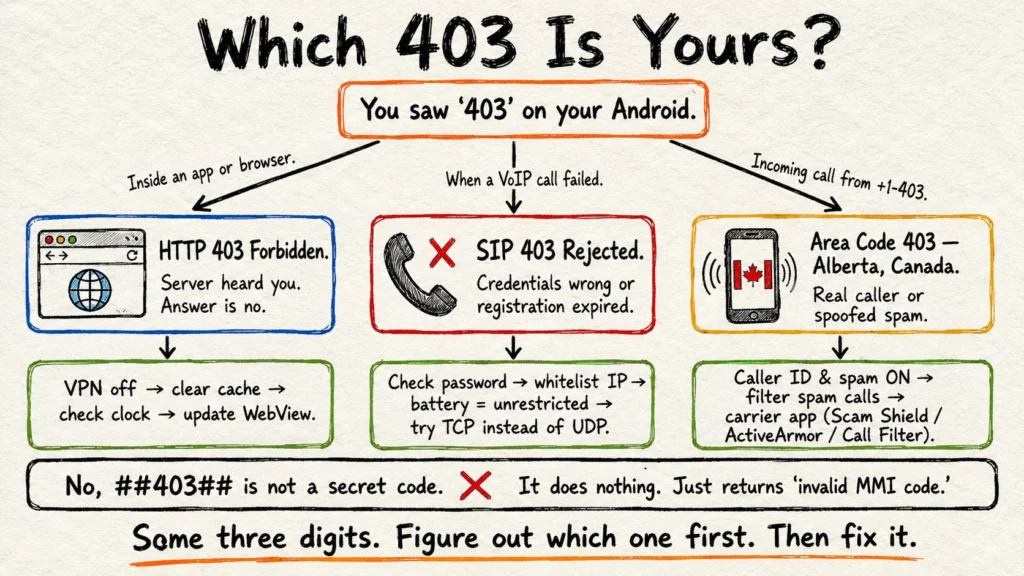
Run through it fast: saw it inside an app or browser? That’s HTTP 403 — clear your cache, drop the VPN, check the clock. Saw it when a call failed? That’s SIP 403 — check your VoIP credentials and battery settings. Seeing +1-403 light up your screen at dinnertime? That’s area code 403 — let Android’s spam filter do the work. Same three digits, three completely different problems — and now you know which lever to pull for each.