apk
apk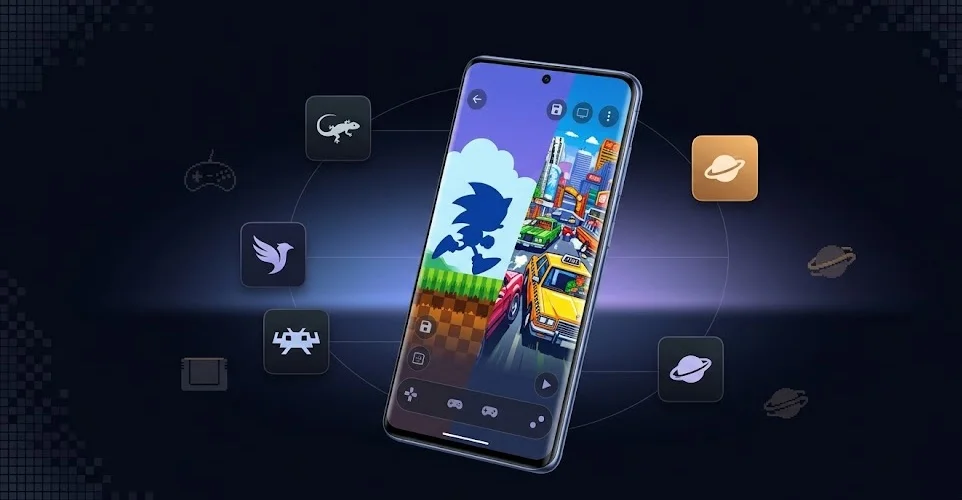
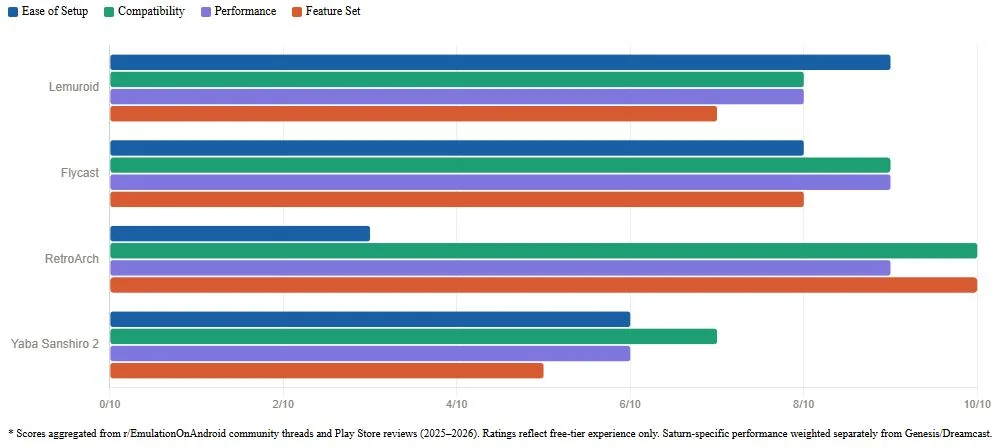
If you want to play Sega games on Android without spending a dime, three names keep coming up: Lemuroid, Flycast and RetroArch. Lemuroid handles the 16-bit classics Genesis, Mega Drive, Sega CD, Game Gear with zero setup headache. Flycast is basically the only real option for Dreamcast and it’s a good one. RetroArch covers everything if you’re willing to climb a learning curve. Saturn’s trickier more on that later, because the “free” story there has an asterisk.
What You Need to Know Before Downloading Anything
Quick but important: emulators are legal. The ROMs are the complicated part. You’re supposed to dump them yourself from cartridges or discs you already own. Nobody’s going to walk you through that here, but don’t download ROMs from random sites and expect zero consequences legally or malware-wise.
Also, your phone matters more than people admit. Genesis runs on basically anything. Dreamcast needs a mid-range processor at minimum. Saturn? You want a Snapdragon 8 series or equivalent, otherwise you’re in choppy-frame territory. Keep that in mind before committing to a setup.
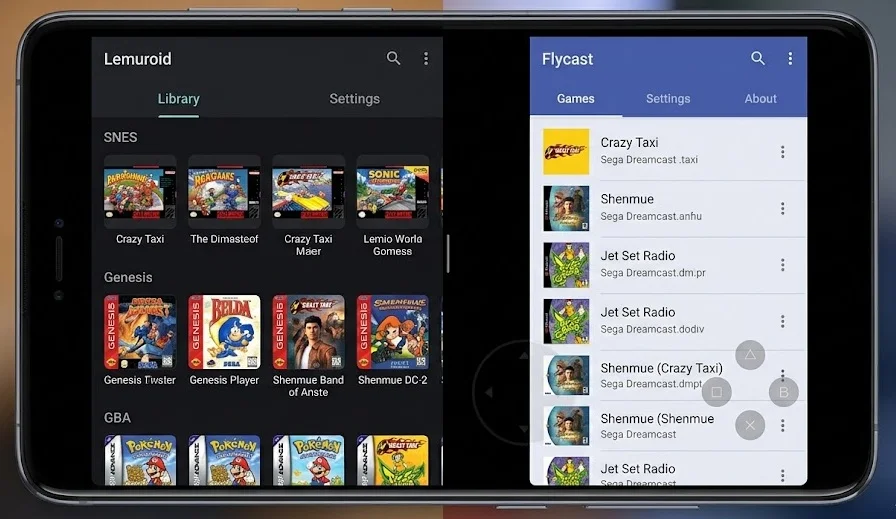
Lemuroid — Best for Genesis, Mega Drive, Sega CD, Game Gear
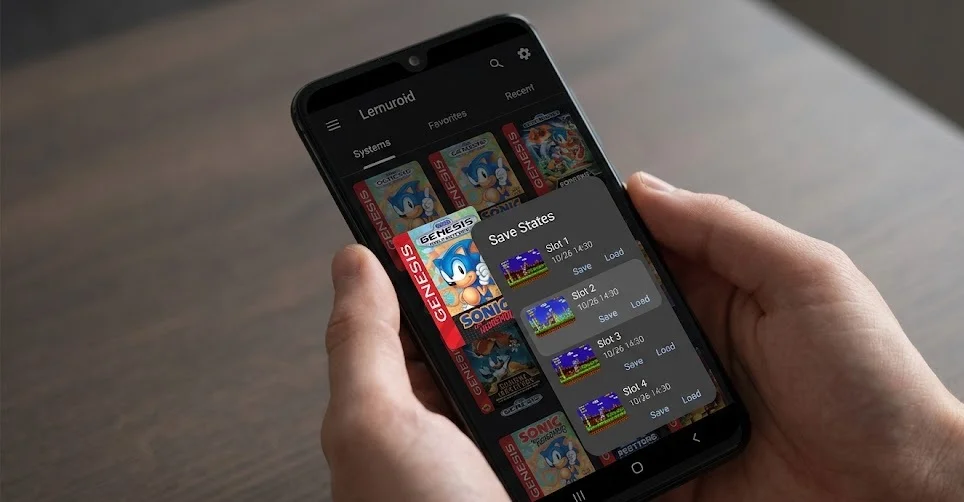
This is the starting point for most people and for good reason. Lemuroid is completely free, open-source, no ads, no paywalls and it actually looks like a modern app rather than something ported from 2009.
Under the hood it runs on Libretro cores, same engine powering RetroArch. For Genesis/Mega Drive it uses Genesis Plus GX, which is one of the most accurate cores available. You get save states, cheats, controller support, automatic game scanning with box art. It even works on Android TV if you’ve got a setup there.
Supported Sega systems:
- Sega Genesis / Mega Drive
- Sega CD
- Master System (SMS)
- Game Gear
Pros:
- Dead simple setup — scan a folder, done
- No ads, ever
- Actively maintained as of 2026
- Great on phones, tablets and TVs
Cons:
- Sega CD needs a BIOS file (slight extra step)
- No Saturn or Dreamcast support
- Less tweakable than RetroArch for advanced users
The Reddit consensus from 2024–2026 threads on r/EmulationOnAndroid pretty much agrees: if you’re new to emulation or just want to replay Sonic, Streets of Rage or Shining Force without fiddling with settings, Lemuroid is the move. Search com.swordfish.lemuroid on the Play Store.
Flycast — Best Free Dreamcast Emulator (And It’s Not Close)
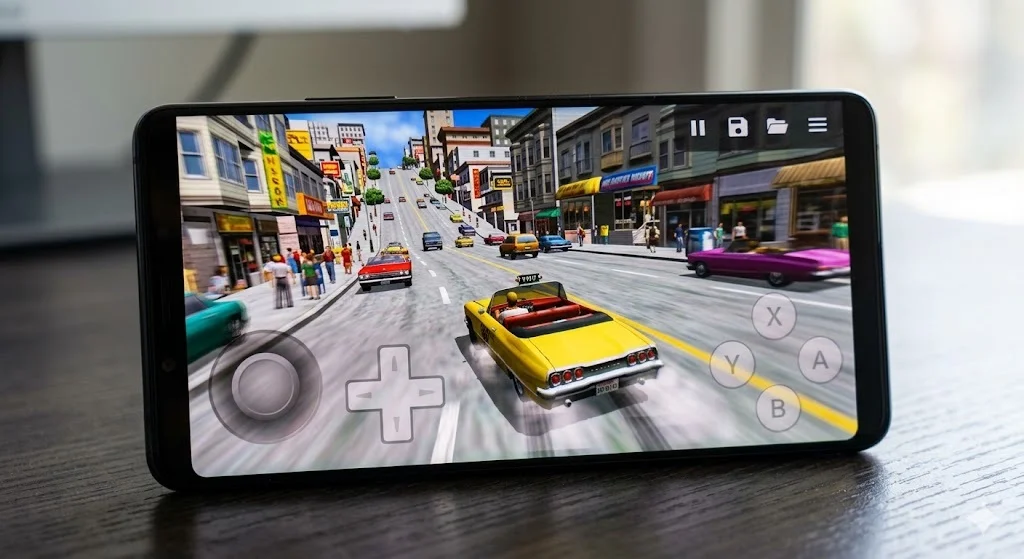
There’s no real competition here. Flycast is the Dreamcast emulator on Android free, no ads, no in-app purchases and regularly updated (January 2026 was the latest at time of writing).
Compatibility is excellent. Most games run well, including the trickier Windows CE titles. You get HD upscaling, widescreen support, save states, achievements and even online/LAN emulation. That last one’s a nice touch some Dreamcast games had online modes back in the day and Flycast can actually replicate that.
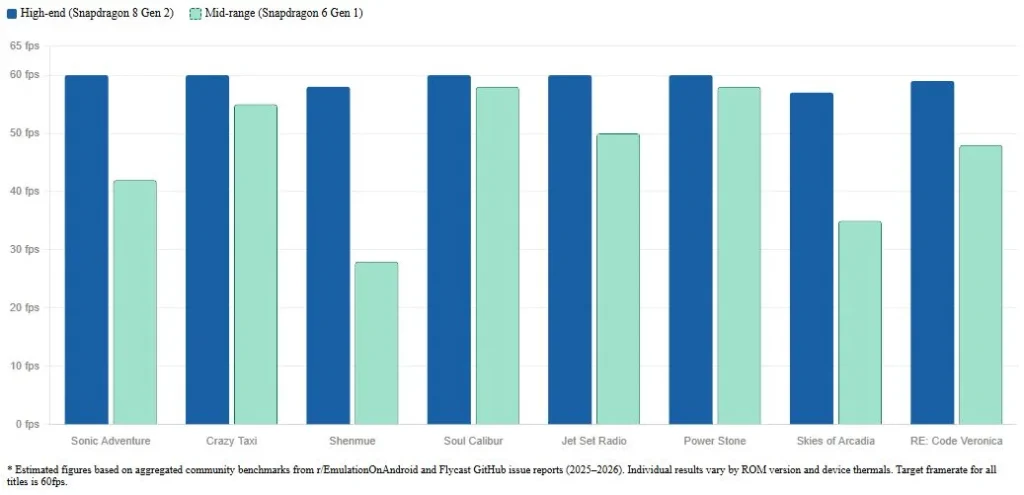
Performance on a modern mid-to-high-end phone is smooth. Older or budget devices might struggle with a handful of games Rayman 2 and Sonic Adventure have reportedly dropped to 30fps instead of 60 on weaker hardware, per user reports on the Flycast GitHub and various emulation forums.
Quick stats:
- 100K+ Play Store downloads
- 4.2 stars average rating
- Supports Dreamcast, Naomi, Naomi 2 and Atomiswave arcade hardware
Search com.flycast.emulator on the Play Store. Or grab it from GitHub if you prefer sideloading.
A note on Redream: It comes up in comparisons. The free version works but caps resolution and locks some features behind a paid upgrade. Flycast gives you more for nothing.
RetroArch — The Powerful Option (Free, But Bring Patience)
RetroArch is free, open-source and technically supports every Sega system ever made. It’s also the most intimidating app on this list. First time you open it, you’re staring at a menu system that looks like it was designed for people who already know what they’re doing.
That’s not a dealbreaker. It’s just honest.
The way it works — you download “cores” inside the app, each one emulating a specific system. For Sega stuff:
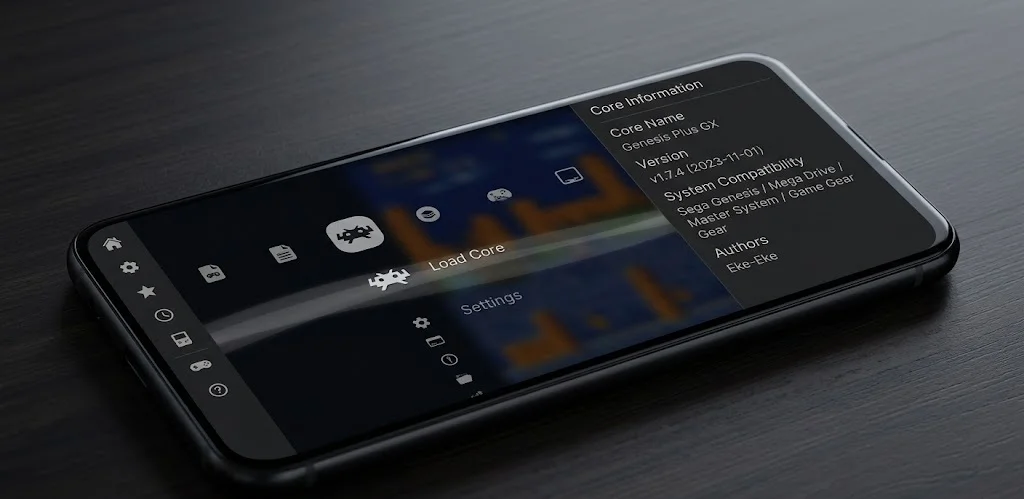
- Genesis Plus GX → Genesis, Mega Drive, Sega CD, Master System, Game Gear, 32X.
- Beetle Saturn → Sega Saturn (needs a powerful phone).
- Flycast core → Dreamcast (same engine as standalone Flycast).
Once it’s configured, it’s genuinely excellent. Accuracy is top-tier, shader support lets you add CRT scanline effects if you’re into that and the customization goes as deep as you want it to.
Pros:
- Completely free, no limits whatsoever.
- Covers every Sega system in one app.
- Genesis Plus GX is among the most accurate Genesis cores anywhere.
- Constant updates across cores.
Cons:
- Setup takes real time — cores, directories, playlists, BIOS files.
- UI is not beginner-friendly.
- Beetle Saturn demands high-end hardware to run decently.
When does RetroArch make more sense than Lemuroid? Honestly, when you’re emulating across multiple platforms not just Sega. If you want SNES, PlayStation and Genesis all in one place with consistent settings and save management, RetroArch wins. For someone who just wants to play Sonic 3, it’s overkill.
The RetroArch documentation is actually solid. Worth bookmarking when you hit a wall and you probably will once or twice.
Sega Saturn — The Awkward One
Saturn emulation on Android is behind everything else and that’s just the reality. The hardware was notoriously weird two CPUs, a VDP that developers barely understood at the time and accurately replicating it on a phone in 2026 is still genuinely hard.
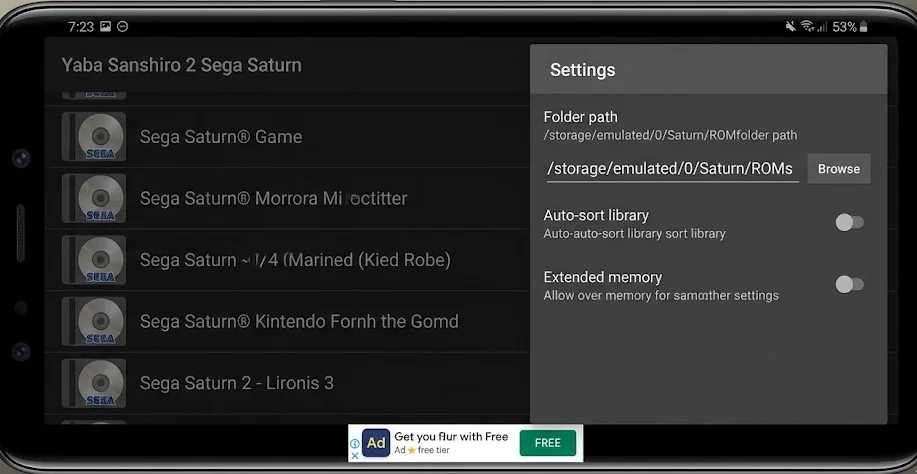
The main free option is Yaba Sanshiro 2. It works. Updated as recently as March 2026. But the free version limits you to roughly three games through it’s easy shortcut method, runs ads and locks some features. You can work around the game limit by setting up folders manually, but it’s clunky and the app feels like it’s pushing you toward the paid upgrade (~$5–6 one-time).
Some recent user reports on the Play Store (3.4 stars, 1M+ downloads) mention analog stick issues after a recent update. Worth checking current reviews before committing.
Free Saturn options compared:
| Option | Completely Free | Game Limit | Ease of Setup | Hardware Needed |
| Yaba Sanshiro 2 (free tier) | No (limited) | ~3 games easy method | Medium | Mid-range |
| RetroArch + Beetle Saturn | Yes | None | Low (complex) | High-end |
The RetroArch route with Beetle Saturn is technically the better free option if your phone is powerful enough and you don’t mind the setup. On a Snapdragon 8-series device it runs most titles decently. On anything older, frame drops are going to happen.
Saturn’s worth pursuing if you have specific games in mind Panzer Dragoon Saga, Nights into Dreams, Guardian Heroes. For casual exploration it’s probably not worth the hassle compared to how smooth Genesis and Dreamcast run.
Full Comparison — All Free Sega Android Emulators at a Glance
| Console | Best Free Pick | Truly Free? | Ease of Use | Worth It? |
| Genesis / Mega Drive | Lemuroid | Yes | Very Easy | Absolutely |
| Sega CD | Lemuroid | Yes | Easy (needs BIOS) | Yes |
| Master System / Game Gear | Lemuroid | Yes | Very Easy | Yes |
| Dreamcast | Flycast | Yes | Easy | Absolutely |
| Saturn | RetroArch + Beetle Saturn | Yes | Hard | If you have the hardware |
| All systems | RetroArch | Yes | Hard | Yes, for advanced users |
Quick Setup Tips (Applies to All of These)
A few things that trip people up regardless of which emulator they pick:
- Storage permissions — Android 10 and above uses the Storage Access Framework. Some apps handle this better than others. If an emulator can’t find your ROMs, permissions are the first thing to check.
- BIOS files — Sega CD needs one for Lemuroid. Saturn emulation needs them for RetroArch’s Beetle core. The emulator’s documentation will list exact filenames and where they go.
- Controllers — Xbox and PlayStation Bluetooth controllers pair without issues on Android. On-screen controls work fine for turn-based games; for action games, get a physical controller.
- ROM formats — Genesis ROMs are typically .md or .bin. Sega CD and Saturn are disc images .iso, .bin+.cue or .chd. Flycast accepts .gdi, .cdi, .chd.
- Compatibility lists — Yaba Sanshiro has one on it’s official site. Flycast’s GitHub tracks known issues per game. Check before assuming a game is broken when it might just need a settings tweak.
Final Verdict
Start with Lemuroid and Flycast install both, takes five minutes, covers Genesis through Dreamcast with zero cost and minimal fuss. That’s the honest recommendation for 90% of people reading this.
If you’re serious about Saturn, try RetroArch with Beetle Saturn first. Your phone’s specs will tell you quickly whether it’s viable. If Yaba Sanshiro 2’s free tier frustrates you, the $5–6 upgrade is genuinely reasonable for what you get, it’s one of the few cases where a paid emulator tier actually earns it.
One last thing SEGA Forever exists on the Play Store. It’s official, it’s free, it offers a handful of licensed Genesis titles with touch controls. No save states, no fast-forward, limited library. Fine for a quick nostalgia hit, not a replacement for any of the above.
The emulation community moves fast. Check r/EmulationOnAndroid before making decisions — update notes and compatibility reports there tend to be more current than anything else.