apk
apk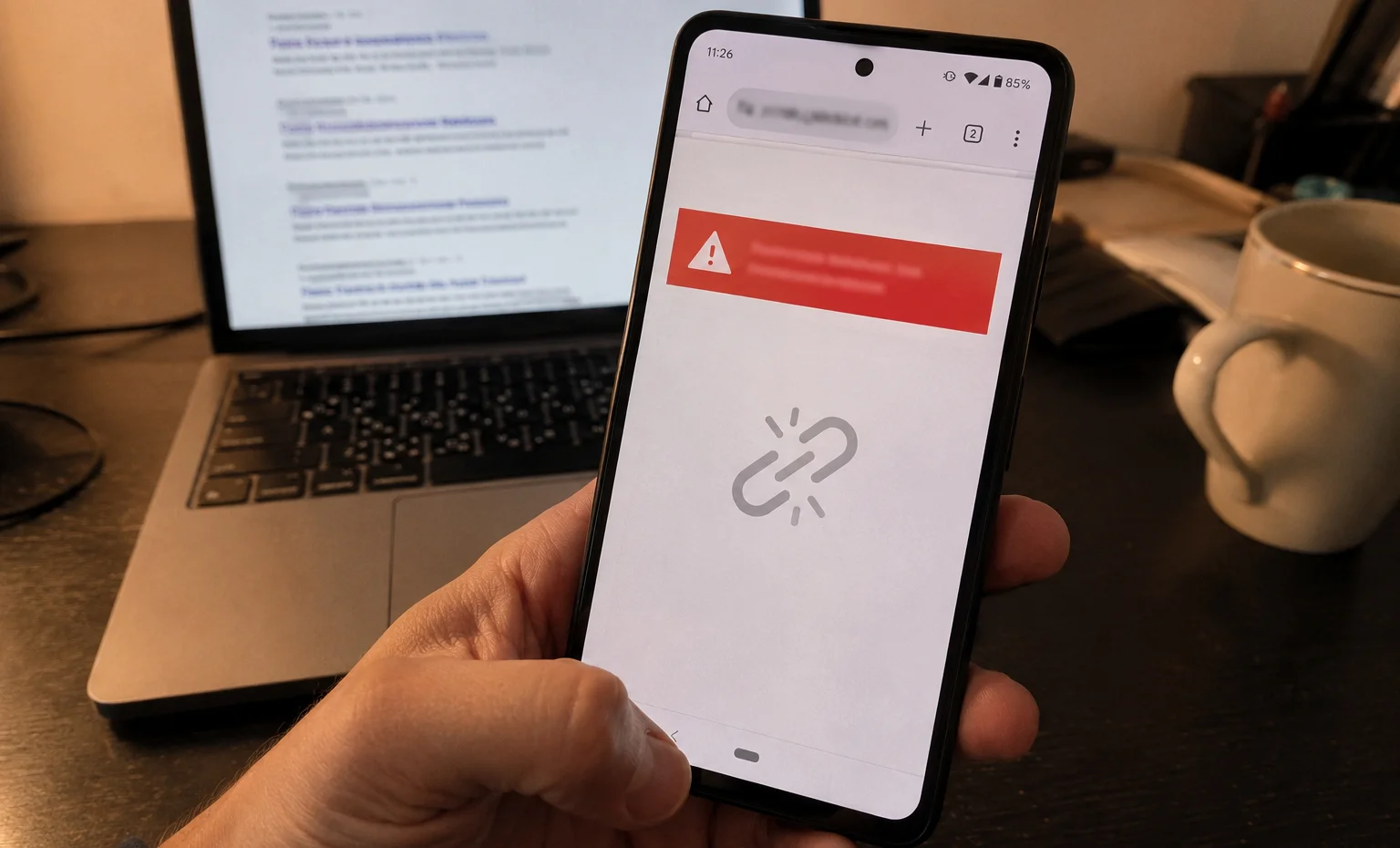
Quick version if you’re in a hurry: apkcort.co is dead — the site’s unreachable, nothing’s indexed, it’s just gone. Problem is, a bunch of copycat domains jumped on the name right after. Some look identical. Most are sketchy at best, outright dangerous at worst. If you’ve been searching for it lately and landed somewhere that looks like it, close that tab. This article breaks down what ApkCort actually was, why it disappeared and more importantly — what’s lurking in it’s place.
So What Even Was ApkCort?
Third-party APK sites have been around forever. The pitch is always the same — get apps Google won’t give you, grab older versions before a bad update ruined everything, access stuff that’s region-locked on the Play Store. ApkCort.co fit that mold.
It wasn’t just a file dump, though. The platform mixed in tech content, app reviews, some guides on online earning — trying to be more of a “digital hub” than a plain download mirror. Whether that made it more trustworthy is a different question entirely.
Here’s a quick breakdown of what it offered:
| Feature | What It Meant in Practice |
| APK Library | Apps across categories, including stuff not on Play Store |
| Version History | Older builds of popular apps — useful if a new update broke something |
| Tech Content | Reviews, guides, internet tricks |
| Direct Downloads | Manual installs, sideloading required |
The Wikipedia entry on APK files explains the format well if you’re new to this — essentially it’s Android’s equivalent of an .exe installer on Windows. Nothing inherently evil about the format itself. The risk is always about who packaged it and what they put inside.
And apkcort.co? It’s Android-only, always was. iOS doesn’t run APKs — the format literally doesn’t work on iPhones — so if you’re on Apple hardware, none of this was ever relevant to you anyway.
The Site’s Gone. Here’s Where It Gets Weird.
At some point, apkcort.co went dark. No indexed pages, site unreachable, nothing. Could be a dozen reasons — hosting costs, legal pressure, traffic dried up — doesn’t really matter why. What matters is what happened next.
Copycat domains started appearing. apkcort.com. apkcort.shop. Probably others. They wear the same name like a hand-me-down coat and hope you don’t notice the fit’s wrong.
Automated trust scanners like Scamadviser gave some of these domains an “average to good” score — which sounds reassuring until you realize what that actually measures. SSL certificates. Server location. Traffic volume. None of that tells you whether the APK file you’re about to install is clean. One user review for a related service put it bluntly: “This is a big scam website, they will take your money.”
Then there’s the spam angle. A bot account — “natledasted,” if you want to look it up — has been dropping identical promotional comments for ApkCort across completely unrelated forums. Stanley Tools support pages. Delphi Forums. CircuitLab Q&A. Copy-paste, over and over. That’s not how real platforms build a reputation. That’s how you flood search results with fake credibility before anyone notices.
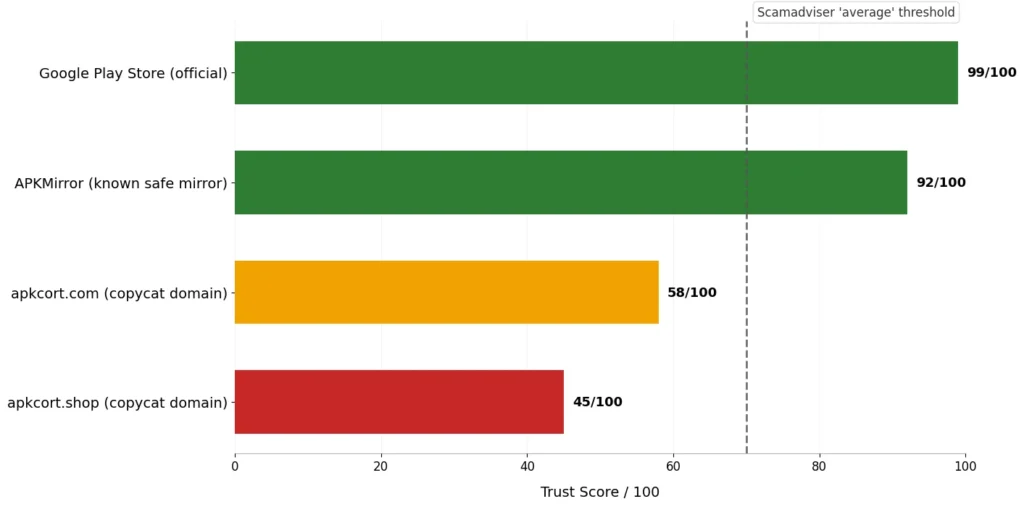
The gap between an automated “average” trust score and actual safety is where people get hurt.
The Real Risk: What’s Actually Inside Those APK Files
Here’s the thing most people skip past — the danger isn’t usually the website itself. It’s the file. You download it, you install it and whatever was bundled inside is now running on your phone.
Security researchers have documented this repeatedly. The Necro trojan showed up inside modified versions of popular apps — Spotify mods, game mods, stuff people genuinely wanted. Konfety adware did similar damage through repackaged apps floating around third-party sites. These weren’t obscure one-off cases. Millions of installs.
The mechanics are straightforward and ugly:
- Repackaging — someone takes a legitimate APK, cracks it open, drops malware in, zips it back up. Looks identical to the real thing.
- No screening — unlike Google Play, which runs apps through Play Protect, third-party sites have zero obligation to check anything.
- You gave it permission — sideloading requires you to manually allow installs from unknown sources. The phone warned you. The app then uses those permissions freely.
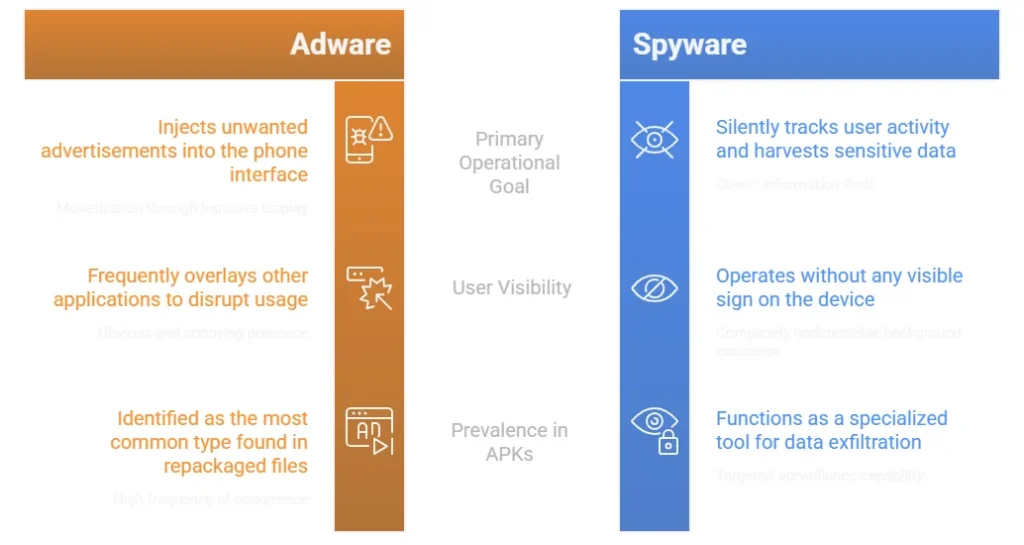
Copycat sites running on a dead brand’s name have even less incentive to care. They’re not building a reputation. They’re not planning to be around long. Fast traffic, maybe some ad revenue or worse — payment info harvested from confused users — and then gone before anyone files a complaint.
The Android security documentation lays out how the permission system works if you want the technical side. Short version: apps you sideload bypass a lot of the safety net Google built.
How to Actually Stay Safe
None of this means sideloading is always wrong. Sometimes it’s the only way to get something you legitimately need — an app pulled from the store, a regional version, a specific old build. But there’s a right way to do it.
Before you download anything from a third-party site:
- Check the source reputation manually — not just Scamadviser. Look for real user discussions on r/Android or r/techsupport. Actual human reviews beat automated scores every time.
- Scan the APK on VirusTotal — upload the file at virustotal.com before installing. Sixty-plus antivirus engines check it simultaneously. Takes thirty seconds.
- Never pay or register — legitimate APK mirrors don’t need your credit card or a personal account to hand you a file. If a site asks, leave.
- Stick to known mirrors for modded apps — APKMirror, APKPure (with caution), F-Droid for open-source apps. Not perfect, but far more accountable than a domain that appeared last month wearing a dead site’s name.
- Keep Play Protect on — Settings → Google → Play Protect. It scans sideloaded apps too, not just Play Store installs.
| Platform | Type | Safety Level |
| Google Play Store | Official | Highest — automated + human review |
| APKMirror | Third-party mirror | Moderate — cryptographic signature checks |
| F-Droid | Open-source only | Good — community vetted |
| Random copycat domains | Unknown | Low to none — no accountability |
Quick note for anyone on iPhone or iPad — you can stop reading here, genuinely. APK files don’t run on iOS. Never did, ApkCort never served iOS content and the whole sideloading conversation is a different one entirely for Apple devices. You’re not affected by any of this.
Bottom Line
ApkCort.co is gone. What replaced it is a cluster of domains borrowing the name, propped up by bot spam and automated trust scores that don’t mean much. Some might just be low-quality sites chasing ad revenue. Others could be actively hostile.
The safer move is boring but obvious — Play Store for most things, a reputable mirror for the edge cases, VirusTotal before anything gets installed. Your phone has access to your messages, your photos, your banking apps. Whatever convenience a sketchy APK site offers isn’t worth handing that over.
If you’ve already downloaded something from one of these copycat domains, run a Play Protect scan immediately. And if something feels off — battery draining weird, data usage spiking, apps you don’t recognize — that’s worth taking seriously.