apk
apk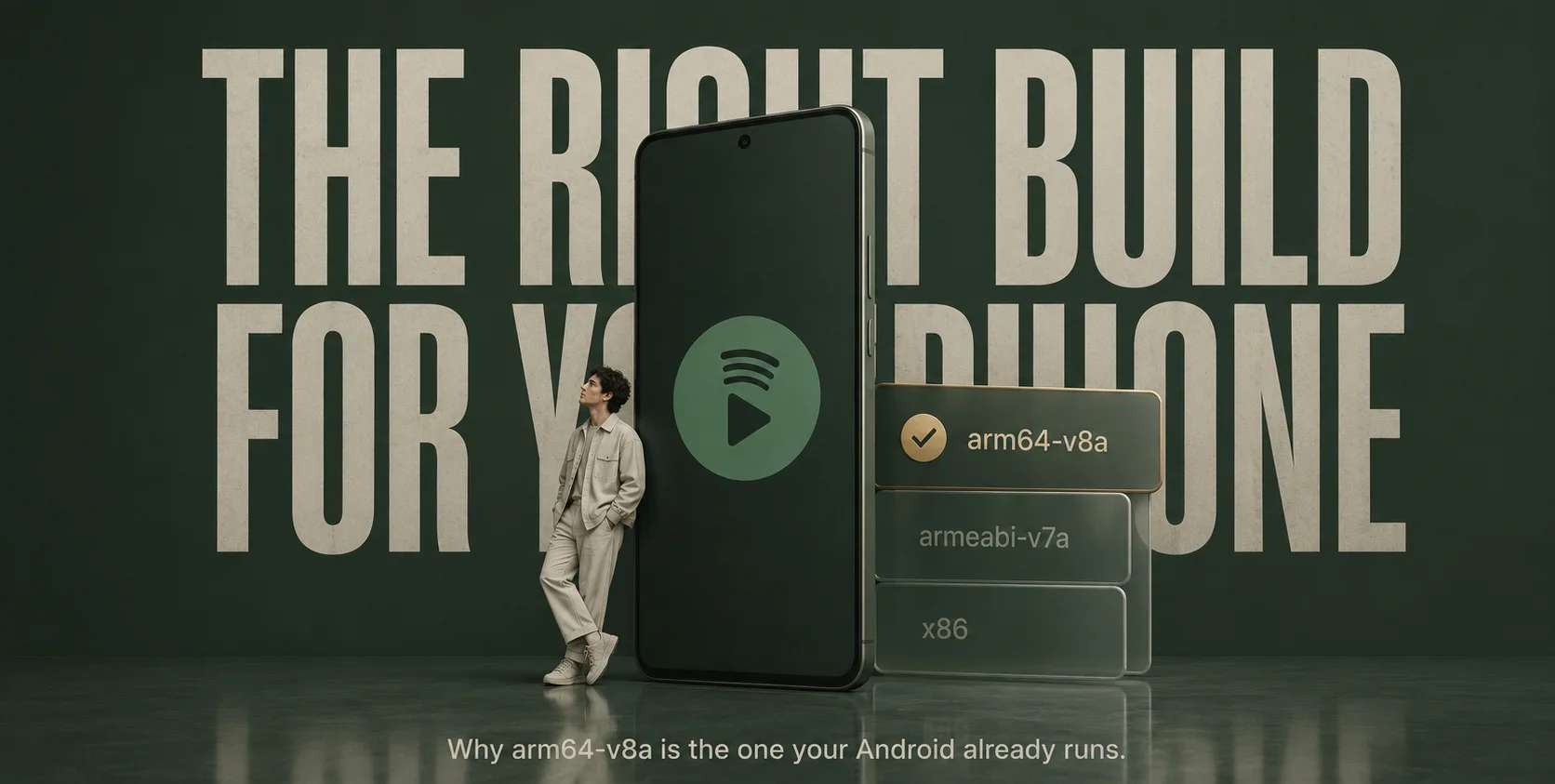
If you only want the answer: com.spotify.music is the package name of the Spotify app on Android, the arm64-v8a label indicates that it’s the 64-bit version for modern phones. That’s the version that your phone is probably already using. To obtain it safely, make it in the Google Play Store, as it will automatically download the proper build for your device. When someone offers you to download it as a single file, only trust a mirror that checks the reality of Spotify’s signature and avoid any offering free Premium, since that’s where the malware resides.
That’s the whole thing in four lines. The rest is for when you want to know why.
So What is com.spotify.music, Really?
Under the name you see is the ID for every Android app. Spotify’s is com.spotify.music. If you encounter the com.spotify.music.apk file, this is the Android Package Kit file, the file that will install the Spotify client on your phone.
It is developed by Spotify AB, falls under the Music & Audio category and is available in the Play Store. The app itself is packaged up with all the compiled code, images and assets and native libraries that do the real work on audio.
Nothing exotic. The only reason the filename trips people up is the second half of it — the architecture tag.
What arm64-v8a Means and Why Your Phone Cares
Android runs on more than one kind of chip and code has to be built for the specific instruction set the chip understands. There are a few in circulation:
- armeabi-v7a — 32-bit ARM, the older stuff.
- arm64-v8a — 64-bit ARM, what modern phones use (it arrived with ARMv8).
- x86 / x86_64 — Intel and AMD-based Android, which you’ll mostly only meet inside an emulator.
For almost all of you reading this, arm64-v8a is the one that’s relevant and why that is something you should care about. There are 64 bits of data moved per cycle, 64 registers to work with and the possibility of NEON SIMD optimisations for media playback, making it smoother. Moreover, there’s a hard rule: since August 2019, Google mandates any native apps with 64-bit code. Spotify complies.
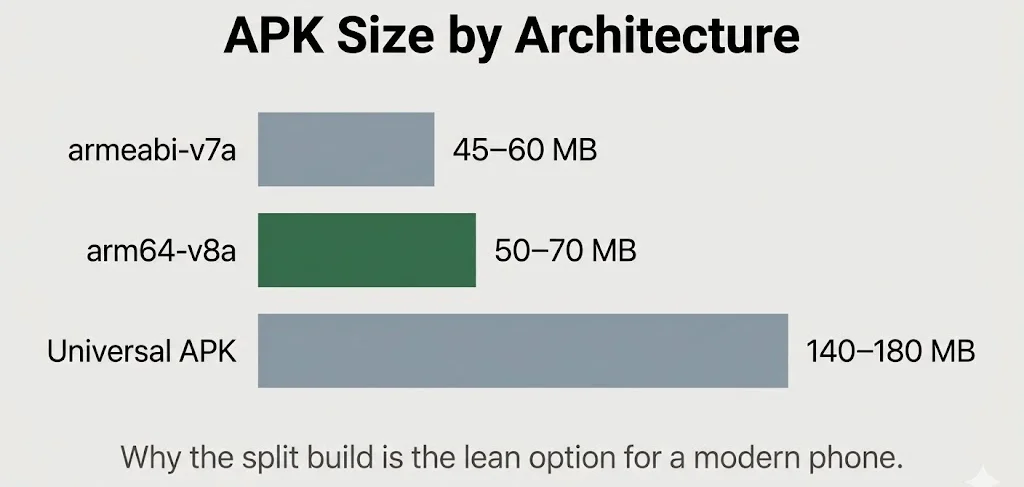
Another practical advantage, — size! Architecturespecific build only pull the native libraries it requires, hence an arm64-v8a split is lighter than a universal APK that includes all architecture’s libraries.
What’s actually in those native libraries for the 64-bit build? The parts of Spotify that can’t afford to be slow:
- Audio decoding and processing — Ogg Vorbis, AAC and the rest.
- DRM decryption and Widevine integration.
- Media codecs tuned for low-latency playback.
- Graphics rendering bits like Skia.
If you’ve got a recent SoC — a Snapdragon 8 Gen chip, a Tensor, an Exynos, a Dimensity — the arm64-v8a build is what gives you the best battery efficiency and the smoothest playback. Your phone, left to it’s own devices through the Play Store, already picks it for you.
Where the Right APK Actually Comes From?
Here’s the part most people never have to think about, because the system handles it quietly.
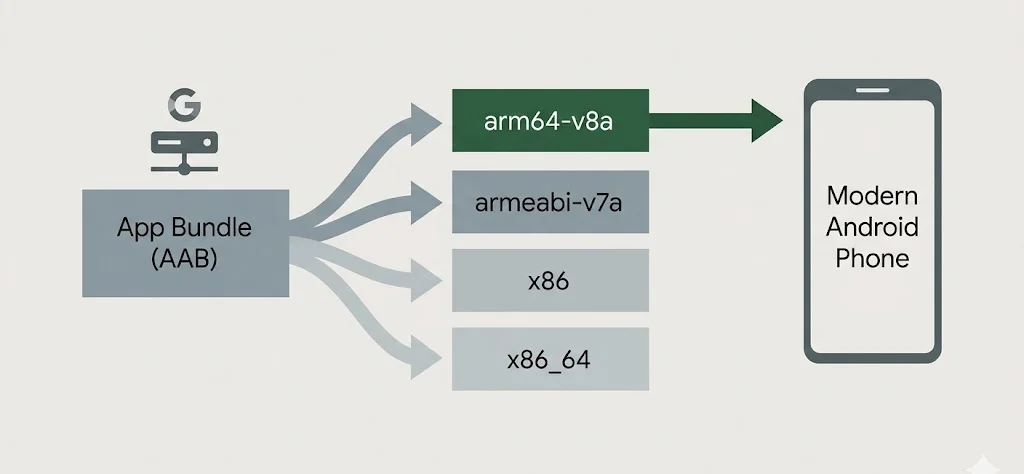
When you install Spotify from the Play Store, Google’s App Bundle delivery does the sorting. It looks at your device — the architecture, the screen density, the language and pushes the exact split APK that fits. You never see “arm64-v8a” written anywhere. It just works and it’s the right build every time.
So when would you ever handle the file directly? Mostly on devices without Google Play. In that case, a reputable mirror is the move — APKMirror, run by the Android Police team, hosts verified, signed builds and labels the architecture-specific variants plainly, with filenames like com.spotify.music_x.x.x.xxx_arm64-v8a_…apk. They check that the signature matches Spotify’s official certificate before hosting it.
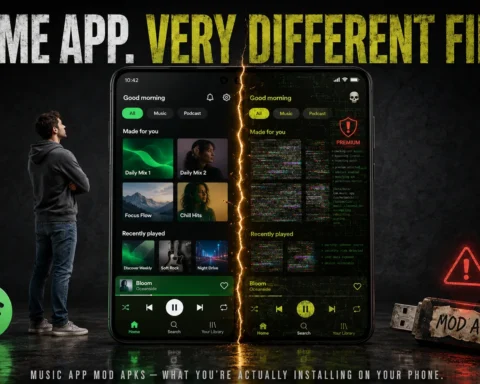
And the warning that has to go right here, in bold, because it’s the whole reason articles like this exist: any site offering a “Spotify Premium APK,” a “Mod APK,” or a “Cracked APK” is not official and the security risk is real. More on exactly what goes wrong with those further down.
What’s Actually Inside the arm64-v8a Build
Crack open the architecture-specific APK and the interesting part is one folder. The native libraries. Everything else in the package is shared across devices, but this is where the 64-bit build earns it’s name:
lib/
arm64-v8a/
libspotify.so (core audio engine, native)
libnative-lib.so (JNI bridge)
libaudio-decoder.so (might be merged)
… (additional C++ libraries)
The logic worth understanding: the app’s bytecode — the classes.dex file — doesn’t care what chip you’re on. It’s architecture-agnostic. But the performance-critical work gets handed off to those .so file and those are built for a specific architecture. That’s the split. Generic code up top, hand-tuned 64-bit code underneath doing the audio.
This is the practical payoff of running the arm64-v8a build on a 64-bit phone and SoC — the playback runs through libraries built for exactly that hardware, which is what gives you the battery efficiency and the smoothness. Run the wrong build on a modern chip and you’re leaving that on the table.
Android vs. iOS: Same Heart, Different Bodies
People ask how the iPhone version compares, so here’s the honest side-by-side. The thing to hold onto before reading the table: the core of Spotify is the same on both. The packaging around it is what differs.
| Aspect | Android (com.spotify.music) | iOS (App Store) |
| Package format | APK (or AAB split APKs) | IPA |
| Architecture | arm64-v8a, armeabi-v7a, x86, x86_64 | arm64 (all iPhones/iPads since the 5s) |
| Distribution | Google Play, APKMirror, OEM stores | App Store only |
| App binary | Java/Kotlin + native C++ libraries | Swift/Objective-C with embedded C++ audio core |
| DRM | Widevine L3 or L1 on certified devices | FairPlay, tied to Apple hardware |
| Audio quality | Up to 320 kbit/s on Premium | Up to 320 kbit/s |
| UI framework | Native Android views, Compose migration ongoing | UIKit / SwiftUI |
| Offline downloads | Encrypted app-private storage | App sandbox |
| Feature rollouts | Sometimes delayed or A/B tested differently | Often gets polish a few days earlier |
| Sideloading | Possible, but high risk of fake “premium” APKs | Near-impossible without jailbreak or AltStore |
| App size | ~50–70 MB for the arm64-v8a split | ~150–200 MB universal, thinned on install |
Two details from that table deserve a sentence each, because the table flattens them.
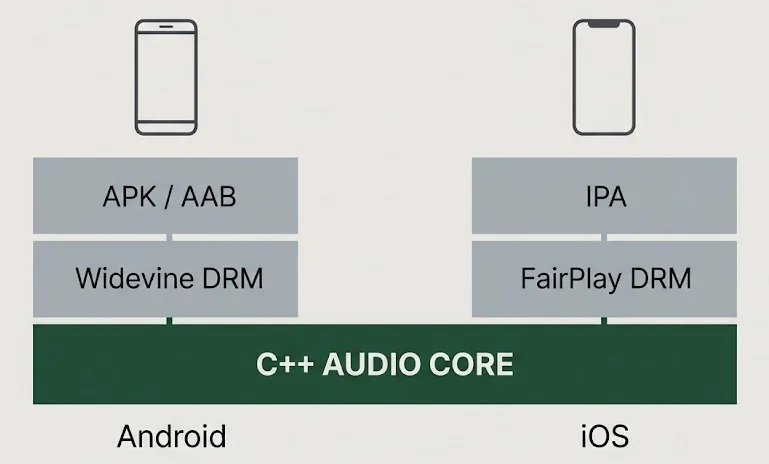
The shared engine first. Spotify’s audio core is written in C++ and that same code runs on both platforms. On Android it gets compiled into libspotify.so for arm64-v8a. On iOS it’s compiled into the app binary for arm64. Decoding, networking, DRM — both phones are running nearly identical logic underneath. So when someone asks “is the iPhone version better,” the answer is that the part that turns data into music is the same. What changes is everything around it.
And background behaviour, which trips up a lot of switchers. On iOS, background audio is rock solid, but the system clamps down hard on background CPU and network. On Android, the audio engine is flexible enough to act as both a sender and a receiver for Spotify Connect — but Doze and aggressive battery optimisation can kill the app if you haven’t exempted it. Different headaches, opposite causes.
The “Spotify Premium APK” Trap
Search that arm64-v8a filename and you’ll trip over a whole industry of sites promising free Premium — unlimited skips, no ads, “extreme quality,” all unlocked. Don’t. Here’s what you’re actually signing up for:
- It’s illegal. Straight violation of Spotify’s terms and of copyright.
- It’s a malware delivery system. These builds get repackaged with trojans, adware and credential stealers. The free Premium is the bait.
- It cuts you off from updates. Modding breaks the app’s signature, which makes it invisible to Play Protect and to official updates. You’re frozen on a tampered version.
- The tampering hides in the native library. Remember libspotify.so? On a modded arm64-v8a build, that exact 64-bit library is where the licence-bypass code gets injected — and the same file can quietly log your account details while it’s at it.
That last point is the one people miss. The mod isn’t just flipping a “Premium = true” switch somewhere harmless. It’s editing the compiled native code that already has deep access to your audio pipeline, your network and your login. Even when it appears to work, you’ve handed an unknown party a foothold on your device and your Spotify account. There’s no version of that trade that comes out in your favour.
How To Check a Legitimate arm64-v8a File
Say you genuinely need to install Spotify outside the Play Store — a device with no Google services, for instance. Fine. Use a mirror that verifies signatures (APKMirror is the known-good one) and run down this checklist before you trust the file:
- Package name — has to be exactly com.spotify.music. Anything else is a different app wearing a costume.
- Signature — it must match Spotify’s official certificate. You can compare it against the Play Store version with a tool like apksigner. This is the single most important check; the signature is what a mod can’t fake.
- Filename — a real mirror labels the arm64-v8a architecture clearly in the name.
- Version & DPI — these don’t affect the architecture. A nodpi variant is fine.
- Split installation — if you’ve downloaded a bundle of splits (base + architecture + language), you need a split APK installer and every component has to come from the same source. Mixing sources breaks it.
Miss the signature step and the rest is decoration. That’s the one that separates a safe file from a poisoned one.
The iOS Side, Briefly
A few things clear up the “ISO” confusion for good:
- There’s no such thing as an arm64-v8a APK for iOS. iPhones use .ipa files compiled for arm64 — Apple’s A-series chips have all been 64-bit since the iPhone 5s. “arm64-v8a” is Android NDK naming, not Apple’s.
- Sideloading Spotify on iOS is narrow and fragile. Your options are AltStore or Sideloadly on a free Apple ID (a 7-day certificate you re-sign constantly), enterprise-signed IPAs (which Apple revokes fast) or a jailbreak tweak. None of it is pleasant.
- Modified IPAs carry the same legal and malware baggage as Android mods, plus the added instability of certificates getting pulled out from under you.
- One genuine Android advantage: through a mirror you can install an older compatible version if a new release ships a bug. iOS won’t let you — the App Store enforces the latest build, no downgrades. That said, running old versions is a security trade-off, so it’s a last resort, not a habit.
The Bottom Line
There’s only one thing that comes to mind when they search for “com.spotify.music apk arm64-v8a”: the official Spotify apk for the 64-bit ARM variant of Android for modern Android mobile phones. It’s the version that works best with playback and battery life and on most devices, it’s the version that is installed — the Play Store installed it for you without bothering you.
If you ever handle the file yourself, get it from the Play Store or a mirror that verifies Spotify’s real signature and check that signature before you trust it. Everything dangling free Premium in front of you is, without exception, illegal, dangerous and built to take something from you. The core music engine is identical to the iPhone version anyway. The only thing a mod adds is risk.